
Secure, Reliable and Fast
Secure Download
90-Day Money Back Guarantee

The intuitive interface and the step-by-step operation guides make it easy, no IT experience required, anyone can use it to perform disk partition recovery easily.

This software can compatible with almost all Windows systems and can recover lost partitions of different file systems, including NTFS, exFAT, FAT32, Ext2, Ext3, and Ext4.

The “Fast Search” will scan your whole hard drive and located the missing partition in seconds so that you can complete hard drive recovery effectively.

As long as there is no data overwritten on the deleted partition, AOMEI Partition Assistant Recover tool will recover the lost or deleted partition and data fast and completely.

Creates bootable media to recover lost partitions and data from unbootable systems after accidentally deleting the boot partition

You are allowed to preview the recoverable partitions before restoring them and you can select specific partitions to recover.
Partition loss can happen easily and frequently; make the causes out and avoid hard drive partition loss again.

You may accidentally delete a partition while managing your hard drive or performing disk cleanup.

Improper operations or sudden interruptions during partition resizing may cause partition loss.

Frequent unexpected system shutdowns can cause computer malfunctions and hard drive errors, potentially leading to partition loss.

The disk partition may disappear unconsciously when operating system or file system gets corrupt.

Partition table is responsible to display the partitions which is vitally significant. Once the partition table corrupt or lost, the partition may loss.

Bad Tracks/Sectors, Run CHKDSK after Disk Defragmentation, Virus Infection, etc.
Run the partition recovery tool, go to Recover > Partition Recovery and select a disk that contains lost partitions.
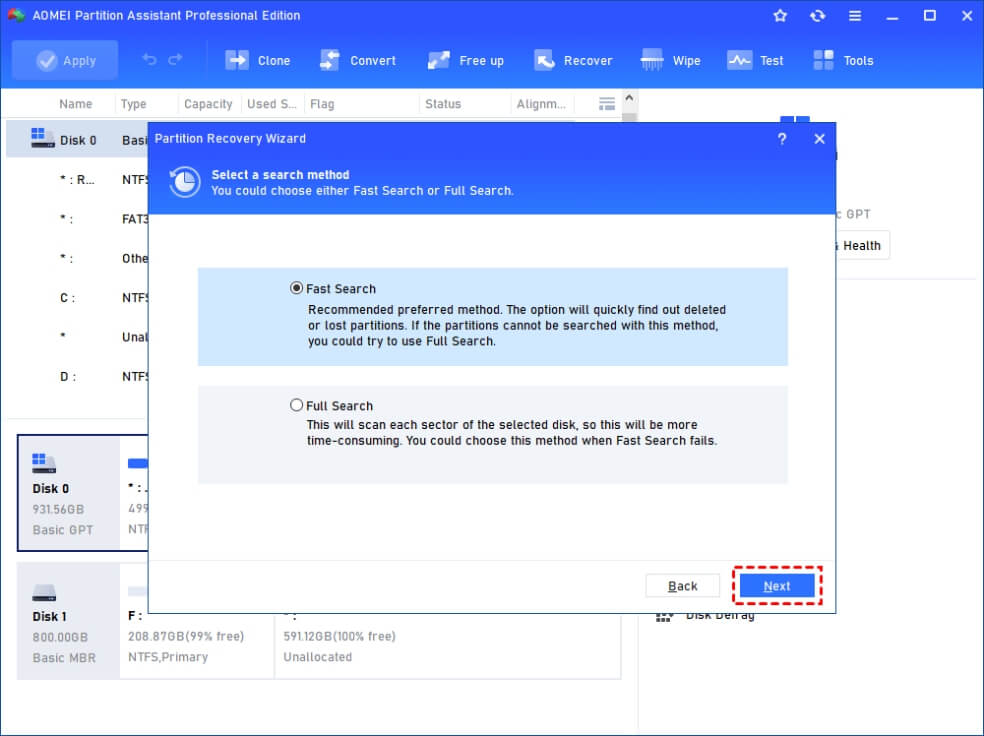
Select Fast Search ( recommended and faster). To scan more completely, you can choose Full Search.
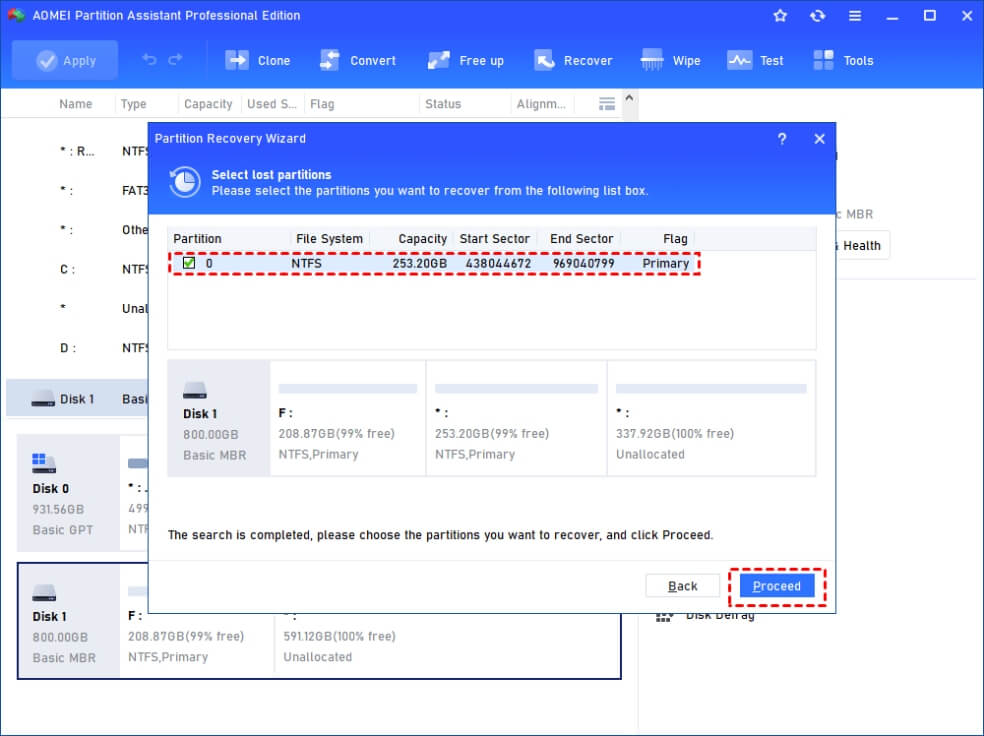
You can preview the lost partitions before restoring. Choose the ones and click Proceed. Then lost partition and data will be back.
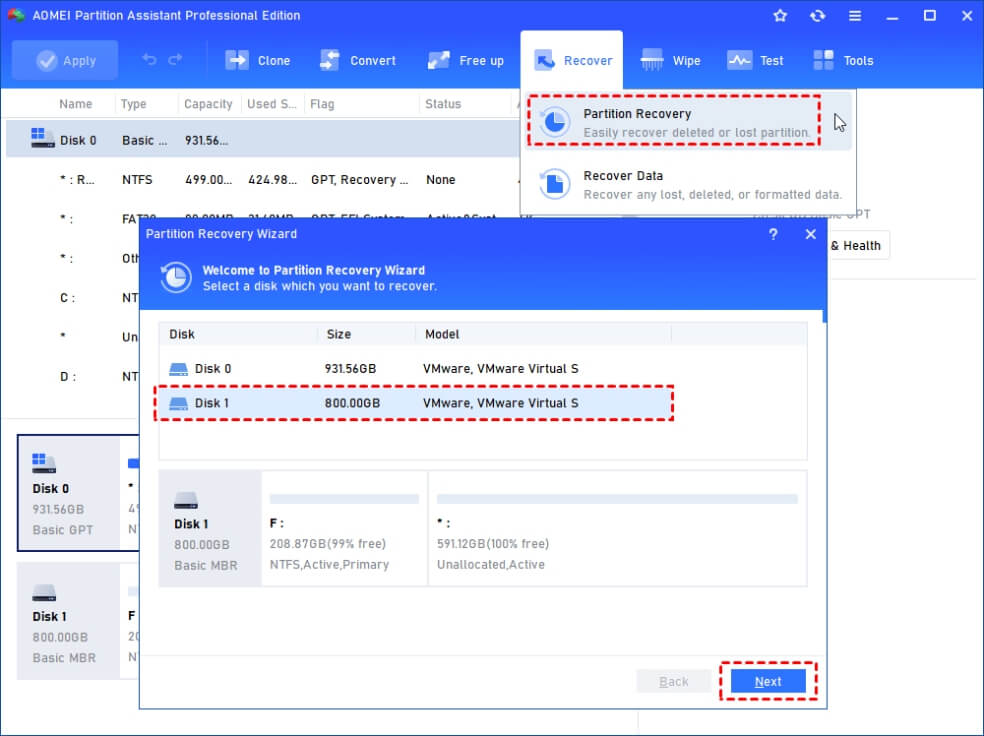
Bonus tip: To recover data from deleted partition, lost partition, and raw partition, go to Recover > Recover Data.
" When my partition disappeared, I just only want to revert my lost partition back. And I found the partition recovery function built in AOMEI Partition Assistant, and I use it to recover my partition successfully! "
" I recovered my deleted partition with the Partition Recovery of AOMEI Partition Assistant by myself! The whole operation is too simple. Highly recommend it! "
" My son deleted one partition on my computer, and I need to recover it back. Then I found the partition recovery software AOMEI Partition Assistant which help me recovered the deleted partition and help me a lot for disk management, thank you! "
" I just used the partition recovery tool. I have to say for a freeway it is a very efficient and fast tool to recover nearly 250 GB of information just by recovering the partition. Many thanks. "
" With much investigating I discovered there were third party options to convert to GPT without losing data. However, AOMEI Partition Assistant is clearly outstanding. The process of converting was incredibly fast and it’s really easy for anyone to use. "
 AOMEI Partition Assistant