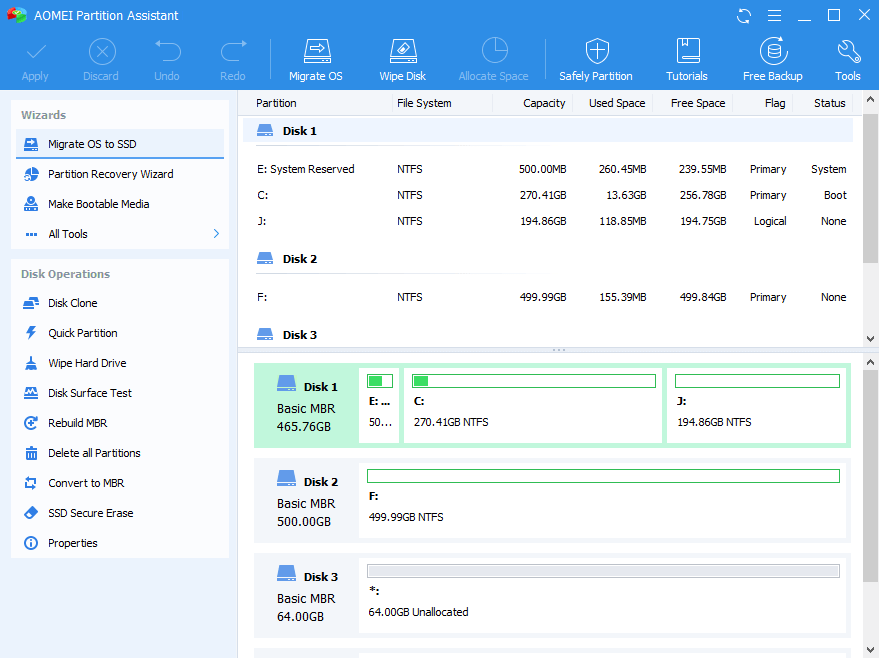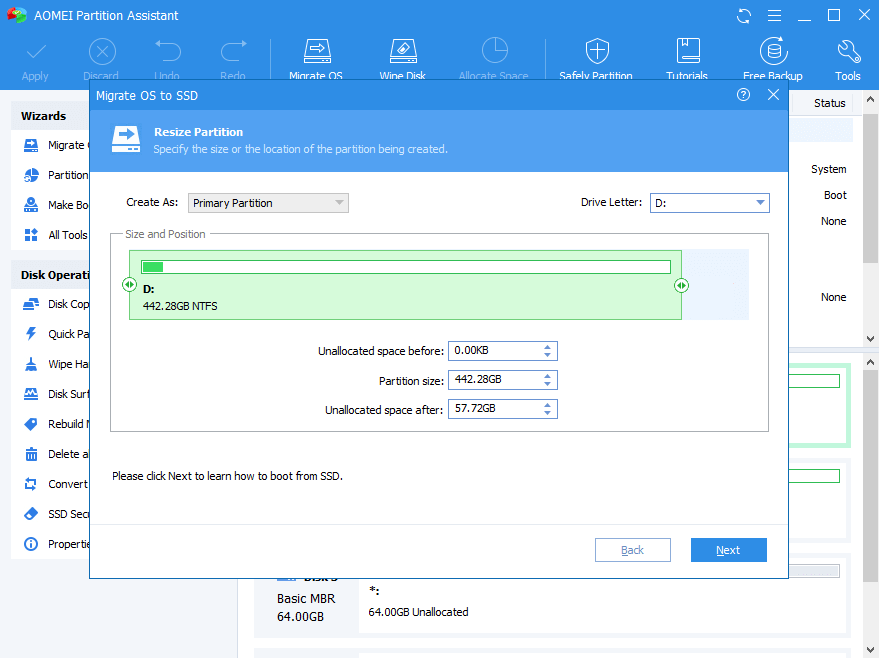
Resize partition to make the Server partition size more reasonable, which helps solve low disk space issues and make the fullest use of disk capacity without damaging data.
Combine two partitions into one to extend partition space, or split a large partition into two smaller partitions to separately manage different types of data.
Format partition to another different file systems (NTFS, FAT, exFAT, Ext); delete unnecessary partitions or completely wipe private information to keep data privacy.
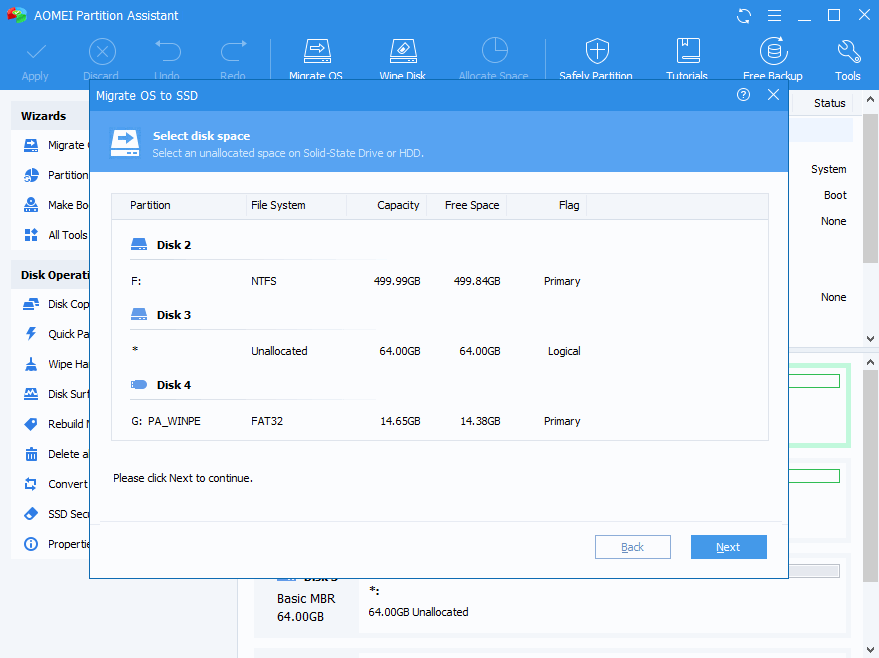
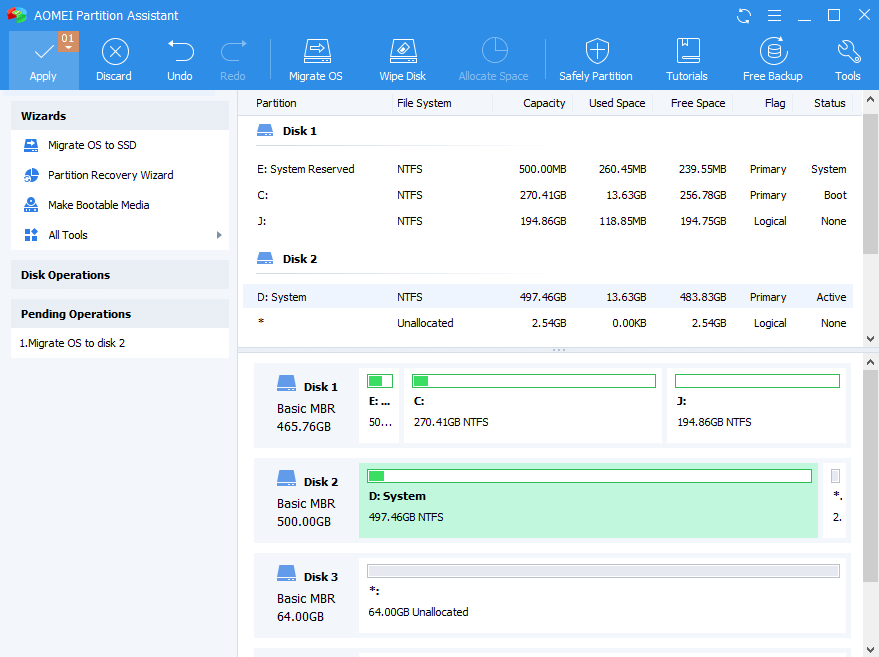
This wizard allows users to directly migrate OS related partition from one disk to another (HDD or SSD), instead of re-installing OS and other applications from scratch with much time and efforts.
The Disk Clone or Partition Clone feature can clone all content from one disk/partition to another one and ensure everything works as well as in the original location. Perfect for disk replacement or upgrade.
This Server partition manager can convert both data disk and system disk from MBR to GPT, or GPT to MBR without deleting any partitions or data, a huge advantage over Server snap-in Disk Management or DiskPart.exe tool.
Easy and quick to recover deleted or lost partitions and retrieve all the data inside the lost partitions as well. Also be able to recover deleted boot partition and get back the important operating system.
Build a portable and fully functional Windows 10/8/7 system on USB flash drive.
Securely erase your SSD to reset the SSD to its factory state for peak performance.
Troubleshoot problems or recover data when system fails to boot.
Convert file system from NTFS to FAT32 with losing data and vice versa.
Convert dynamic disk to basic disk without deleting volumes and vice versa.
Convert between primary partition and logical partition safely without data loss.
Features |
$60 OFF
Server Edition
$99.00
Current Version
The "Current Version" license is only valid for the version you're buying and does not include major version upgrade protection. In such case, you need to pay extra fee to upgrade the current version to each newest version.
Lifetime Upgrades
The "Lifetime Upgrades" license ensures that you're entitled to upgrade for FREE to any newest version without paying extra fee, and FREE receive 24/7/365 lifetime technical support. Try for FREE >> |
40% OFF
Unlimited Edition
$239.40
Current Version
The "Current Version" license is only valid for the version you're buying and does not include major version upgrade protection. In such case, you need to pay extra fee to upgrade the current version to each newest version.
Lifetime Upgrades
The "Lifetime Upgrades" license ensures that you're entitled to upgrade for FREE to any newest version without paying extra fee, and FREE receive 24/7/365 lifetime technical support. Try for FREE >> |
40% OFF
Technician Edition
$419.40
Lifetime Upgrades
Buy Now
The "Lifetime Upgrades" license ensures that you're entitled to upgrade for FREE to any latest new versions that we release later. No annual billing or renewal cost. The license also includes free perpetual technical support. Try for FREE >> |
|---|
|
Number of allowed installations |
2 Servers / License |
Unlimited computers within one company at one location |
Computers of unlimited companies and individuals |
|
Priority Technical Support |
Standard |
Priority |
VIP |
|
All Features of AOMEI Partition Assistant |
|||
|
Supports Windows operating systems Windows 10, 8.1, 8, 7, Vista, XP. Windows Server 2003, 2008 (R2), 2011, 2012 (R2), 2016, 2019. |
|||
|
Unlimited Usage |
|||
|
Create Portable Version |
|||
|
Provide Billable Technical Service
One license can be used by a single technician to provide billable technical service to clients. |
As partitioning software, AOMEI Partition Assistant is as good as any program I’ve seen. The standard version is more than adequate for most users, and the pro version is as good as it gets. I have some nits concerning, but the Windows To Go trick trumps those gripes big time.
AOMEI Partition Assistant would seem to be the most powerful and capable freeware disk partition utility we've tried. It's highly recommended for all users, and especially those with multidisk systems.
AOMEI Partition Assistant is an easy-to-use tool to help you set up and manage partitions on your PC's hard drive. The program provides all the functionality you'd expect, and some you might not.
Emmett Cressman
The first download worked fine. I did a bit of work with PA this evening, and it works well! I just wanted to var you know that I think Partition Assistant is a great product. The user interface is well-designed and easy to follow.
Jeff Franklin
I basically gave up on trying to switch my HDD to GPT without formatting it. I downloaded AOMEI partition assistant and it switched it in seconds without deleting all my stuff! I love you! Thanks!
Cameron Fatemi
I'm a professional computer tech with my own concierge business. I've researched plenty of similar software. Yours is the best in the world! Keep up the great work.
© 2009-2024 AOMEI. All rights reserved.