1. 90-Day Unconditional
    Money Back Guarantee
  2. License Code
    Instant Delivery
  3. 24/7/365 Lifetime
    Technical Support
  4. 256-Bit SSL
    Secure Order

What can AOMEI Partition Assistant do for you?

System and Data Migration

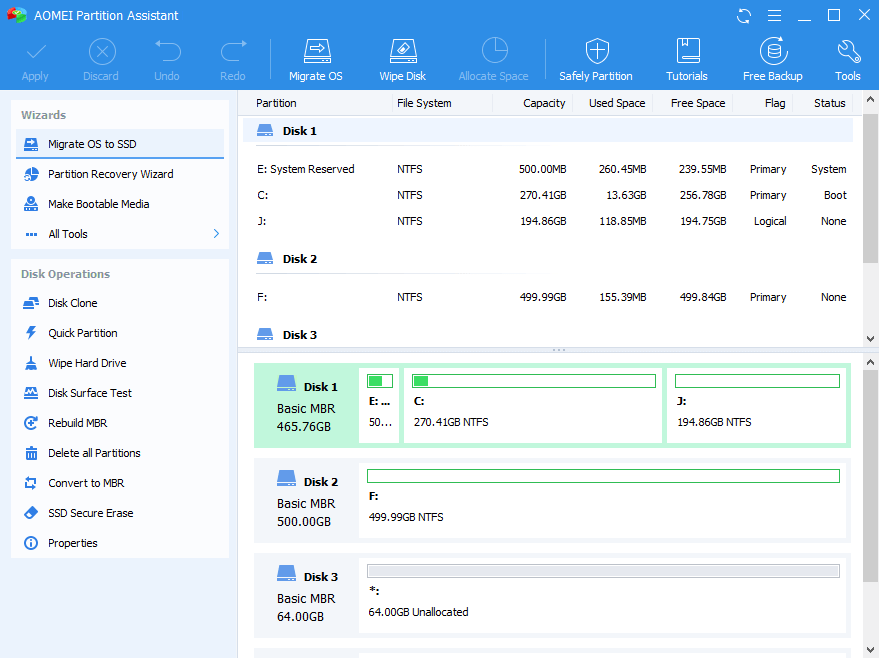
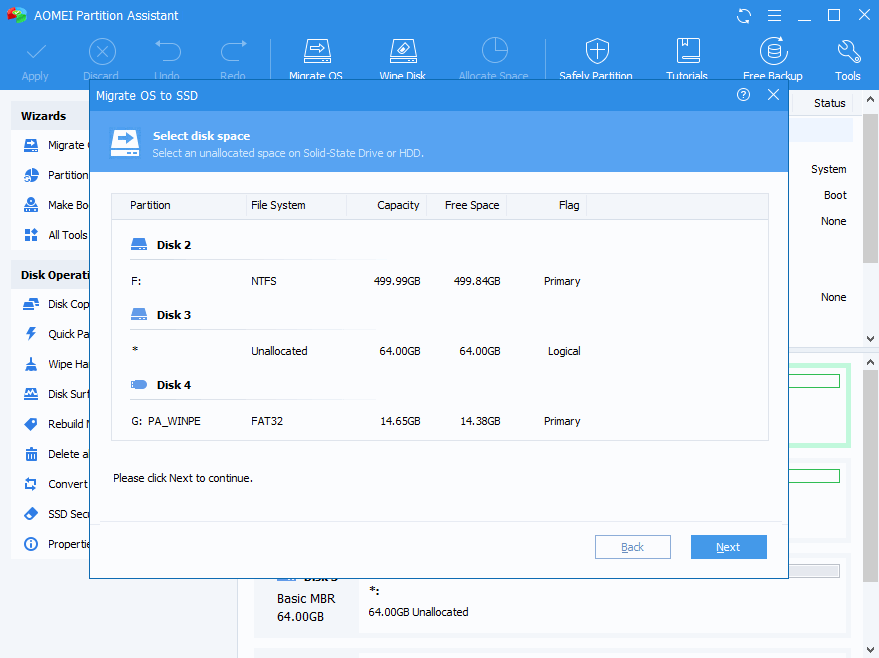
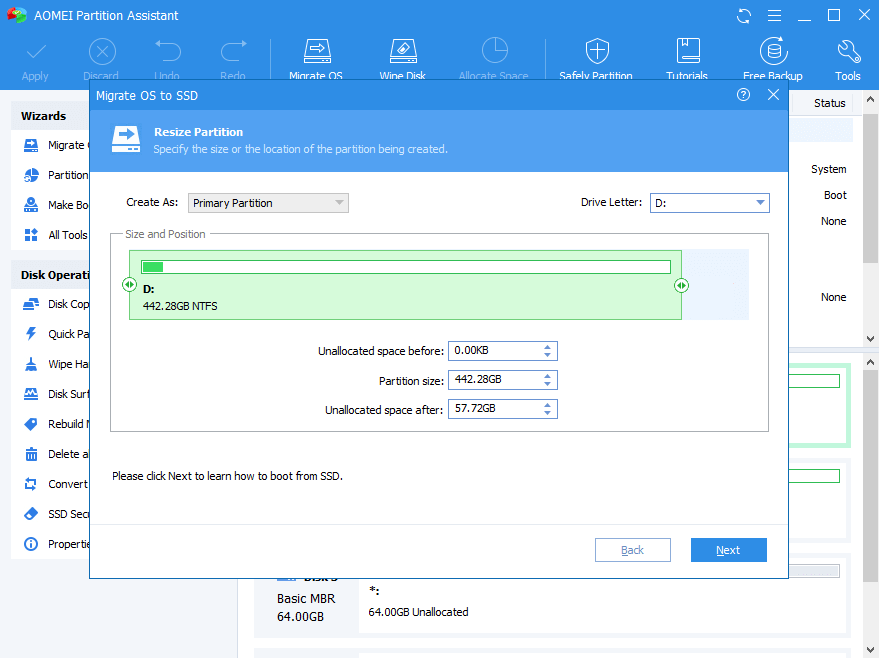
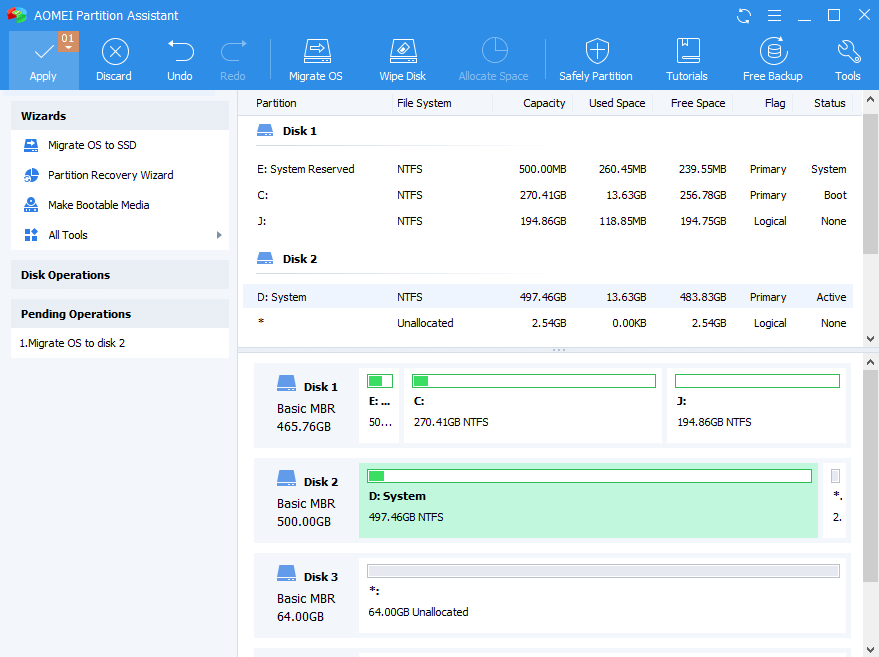
Migrate OS to SSD Wizard

Migrate OS to SSD/HDD without data loss and reinstalling Windows, supporting MBR and GPT disk. And system will boot with better performance from destination disk after migrating.

Disk & Partition Clone Wizard

Clone a partition to quickly make a duplicate and copy a disk to another for disk upgrading or backing up data.

All-in-one Hard Disk Partition Manage

Change Partition Size

Resize, extend, move, merge, split and align partitions to maximize utilization of storage without rebooting computer.

Command Line Partitioning

Perform partition operations via command line to realize multitasking and scripting.

Quick Partition

1-click to partition a hard drive with your own presetting values.

Magic and Safe Converter

MBR/GPT Disk Converter

Change disk style from MBR to GPT without data loss, and vice versa.

Dynamic/Basic Disk Converter

Convert dynamic disk to basic disk and vice versa.

NTFS/FAT32 Converter

Convert file system from NTFS to FAT32with no data loss and vice versa.

Primary/Logical Partition Converter

Convert between primary partition and logical partition safely

Step-by-step Handy Wizards

Extend Partition Wizard

Solve low disk space on C drive by taking unused space from other partitions.

Partition Recovery Wizard

Retrieve valuable information from lost or deleted partitions.

Make Windows PE Bootable Media

Troubleshoot problems or recover data when system fails to boot.

Windows To Go Creator

Build a portable and fully functional Windows 10/8/7 system on USB flash drive.

Integrate to Recovery Environment

Integrate AOMEI Partition Assistant or AOMEI Backupper into Windows built-in recovery environment.

SSD Secure Erase Wizard

Securely erase your SSD to reset the SSD to its factory state for peak performance.

Technical Specifications

Supported Operating Systems
  • Windows Server 2019
  • Windows Server 2016
  • Windows Server 2012 and 2012 R2
  • Windows Server 2008 and 2008 R2
  • Windows Server 2003 and 2003 R2
  • Windows 2000 Server
  • Windows SBS 2003, 2008, 2011
  • Windows 10
  • Windows 8.1/8
  • Windows 7
  • Windows Vista
  • Windows XP
  • Windows 2000 Professional SP4
Supported File Systems
  • NTFS
  • FAT32/FAT16/FAT12
  • exFAT/ReFS *
  • Bitlocker, other file systems *
  • The file system cannot be resized but you can move and clone them.
Supported Storage Devices
  • Traditional hard disk drive (HDD), solid-state drives (SSD) and SSHD.
  • External hard drives (USB 1.0/2.0/3.0), PC cards, All Flash Drives and Thumb Drives, and other removable media.
  • All storage devices recognized by Windows, such as IDE, SATA, iSCSI, SCSI disk, IEEE1394 (FireWire), etc.
  • Hardware RAID, including RAID 0, RAID 1, RAID 5, RAID 10, etc.
  • Supports MBR disk and GPT disk up to 16TB+.
  • Supports up to 128 disks in one system.
  • Fully supports hard disks with 4096, 2048, 1024, 512-byte sector sizes.
  • Supports virtual disk partition in VMware, Virtual Box, Virtual PC, etc.
  • Support UEFI/EFI boot.

Why 50M+ Users Choose AOMEI Partition Assistant

AOMEI has focusing on partition management over 10 years, and has been approved by 50+ million users over 180+ countries. More professional and easier to use come from years of professional research.

2 Servers or Unlimited Computers? It's Your Turn

Features

40% OFF
Server Edition

$149.40 $249.00

Lifetime Upgrades

The "Lifetime Upgrades" license ensures that you're entitled to upgrade for FREE to any newest version without paying extra fee, and FREE receive 24/7/365 lifetime technical support.

Note:If you uncheck this option, then it is the "Current Version" license, which is only valid for the version you're buying and does not include major version upgrade protection. In such case, you need to pay extra fee to upgrade the current version to each newest version.

Buy Now
30% OFF
Unlimited Edition

$349.30 $499.00

Lifetime Upgrades

The "Lifetime Upgrades" license ensures that you're entitled to upgrade for FREE to any newest version without paying extra fee, and FREE receive 24/7/365 lifetime technical support.

Note:If you uncheck this option, then it is the "Current Version" license, which is only valid for the version you're buying and does not include major version upgrade protection. In such case, you need to pay extra fee to upgrade the current version to each newest version.

Buy Now
30% OFF
Technician Edition

$489.30 $699.00

Lifetime Upgrades

The "Lifetime Upgrades" license ensures that you're entitled to upgrade for FREE to any newest version without paying extra fee, and FREE receive 24/7/365 lifetime technical support.

Buy Now
Number of allowed installations
2 Servers / License Unlimited computers within one company at one location Computers of unlimited companies and individuals
Priority Technical Support
Standard Priority VIP
All Features of AOMEI Partition Assistant
Supports Windows operating systems

Windows 10, 8.1, 8, 7, Vista, XP.
Windows Server 2003, 2008 (R2), 2011, 2012 (R2), 2016, 2019.

Unlimited Usage

Allow unlimited usage within one company.

Provide Billable Technical Service

One license can be used by a single technician to provide billable technical service to clients.

How It Works

Awards & Testimonials

  • As partitioning software, AOMEI Partition Assistant is as good as any program I’ve seen. The standard version is more than adequate for most users, and the pro version is as good as it gets. I have some nits concerning, but the Windows To Go trick trumps those gripes big time.

  • AOMEI Partition Assistant would seem to be the most powerful and capable freeware disk partition utility we've tried. It's highly recommended for all users, and especially those with multidisk systems.

  • AOMEI Partition Assistant is an easy-to-use tool to help you set up and manage partitions on your PC's hard drive. The program provides all the functionality you'd expect, and some you might not.

  • Emmett Cressman

    The first download worked fine. I did a bit of work with PA this evening, and it works well! I just wanted to var you know that I think Partition Assistant is a great product. The user interface is well-designed and easy to follow.

  • Jeff Franklin

    I basically gave up on trying to switch my HDD to GPT without formatting it. I downloaded AOMEI partition assistant and it switched it in seconds without deleting all my stuff! I love you! Thanks!

  • Cameron Fatemi

    I'm a professional computer tech with my own concierge business. I've researched plenty of similar software. Yours is the best in the world! Keep up the great work.