 AOMEI Partition Assistant
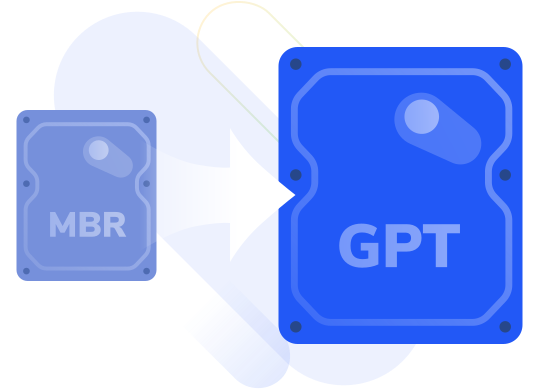
Safely & Quickly Convert
MBR Disk to GPT without Data Loss in Windows 11/10/8.1/8/7
AOMEI Partition Assistant

You can’t use the space beyond 2TB of MBR disk while GPT supports much large disk size.

Windows 11 uses UEFI boot mode, which require the boot drive to be GPT partition style.

MBR allows 4 primary partitions while GPT supports up to 128 partitions for complex partitioning schemes.

GPT disk takes measures to prevent data loss due to partition table corruption, enhancing data security and integrity.

Converting disk to GPT is more sustainable storage solution for future hardware and software advancement.

GPT supports disk encryption, dynamic disk configuration and large sector size for better disk performance.

Don’t need to delete any partition or data on the disk

User-friendly interface and prominent function entry

14+ years of experience and 60+ million users
As an all-in-one disk and partition manager, AOMEI Partition Assistant is not only an MBR to GPT conversion tool, but also a complete disk and partition cloning, resizing, recovery, and application moving solution.

Convert both data and system disks from MBR to GPT or GPT to MBR while keeping data safe.

Clone disks or partitions to another one with different sizes; clone a boot disk without reinstallation.

Adjust partition sizes with flexibility; extend partitions with non-contiguous unallocated space.

Recover lost or deleted partitions along with their data using Fast Search or Full Search.

Move installed programs from one drive to another without losing data.

It also includes other useful functions , such as resetting Windows passwords and creating bootable media.

90-Day Unconditional
Money Back Guarantee

License Code
Instant Delivery

Permanent Free
Technical Support

256-Bit SSL
Secure Order
Install and run AOMEI Partition Assistant. Just three steps, you can change disk (both system & data disk) from MBR to GPT without losing data.
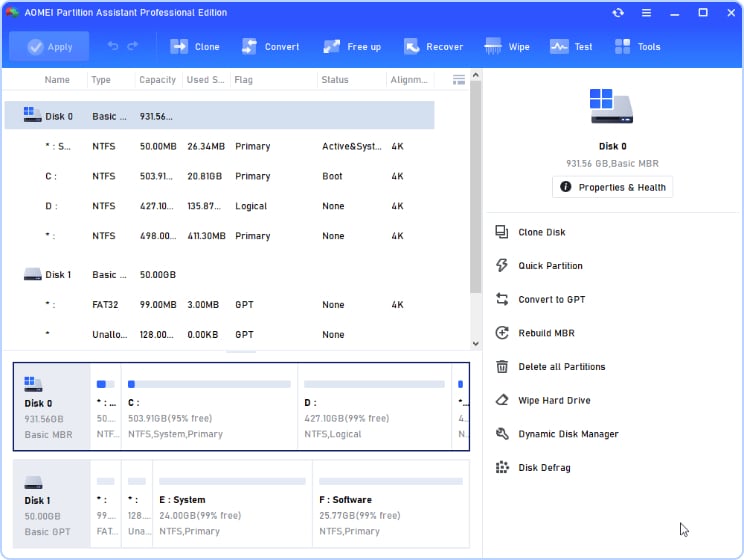
Right-click the boot drive and choose “ Convert to GPT”.
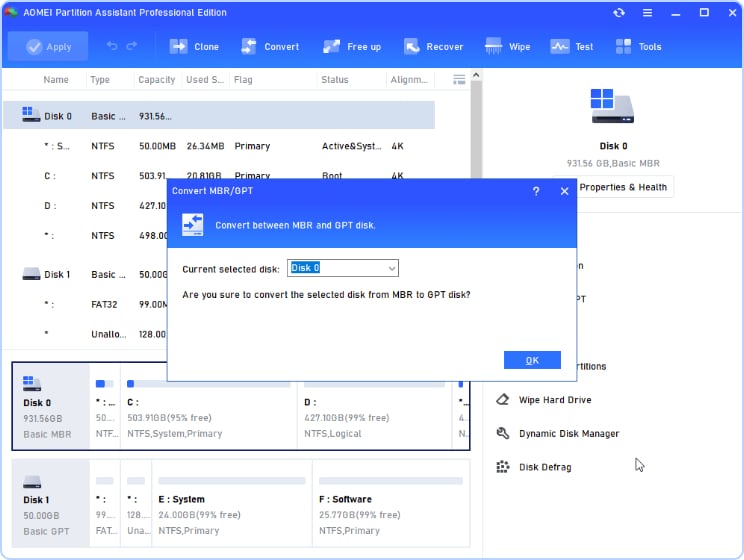
Confirm the information and click “ OK”.
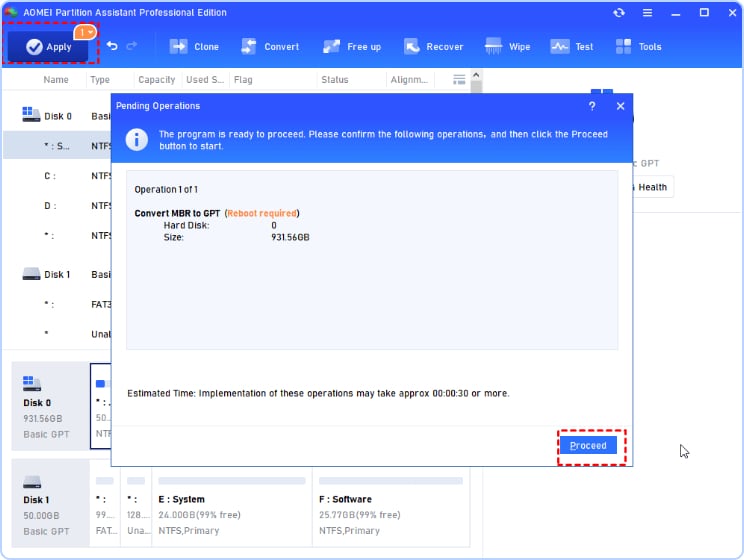
Click “Apply ” and later “ Proceed” to convert MBR system disk into GPT.
A: Can you convert disk to GPT without erasing data? Yes, it is possible to perform MBR to GPT conversion using the methods mentioned in this article.
A: While the conversion itself may not directly improve performance, GPT offers several advantages over MBR, such as support for larger volumes and improved data integrity.
A: It is always recommended to back up your data before performing any disk-related operations to prevent data loss in case of unforeseen errors.
A: Yes, it is possible to convert the system disk from MBR to GPT. However, this process is more complex and requires additional steps to ensure a successful conversion.
A: If you choose Disk Management and CMD, you will lose data because these tools require you to clean partitions. But AOMEI Partition Assistant can perform data-safe conversion between MBR and GPT. So, you can choose this reliable tool to convert back to MBR.
" I purchased a lifetime license . BTW partition assistant saved my OS, and converted it to GPT seamlessly without needing to format the drive. "
" Thank you for your product. I used it last night to copy my OS drive to a new, larger SSD. The process worked well, although it did generate an error when the copy completed but I was able to successfully boot from the copy. I also used your product to convert my MBR disk to GPT. Partition Master is a fabulous product and I thank you for it. "
" I basically gave up on trying to switch my HDD to GPT without formatting it. I downloaded AOMEI partition assistant and it switched it in seconds without deleting all my stuff! I love you! Thanks! "
" Partition Assistant was the clear winner. It was unbelievable how fast the conversion was to GPT and how friendly the user interface is. "
" With much investigating I discovered there were third party options to convert to GPT without losing data. However, AOMEI Partition Assistant is clearly outstanding. The process of converting was incredibly fast and it’s really easy for anyone to use. "