AOMEI Partition Assistant
La Forma Más Rápida de Transferir Archivos entre Dos Discos Duros Externos
¿Está buscando la forma más rápida de transferir archivos entre dos discos duros externos? Puede encontrar la respuesta en este artículo.

Por Raines / Actualizado el 22/09/2025


¡Ayuda! Velocidad de transferencia lenta entre discos duros

Tengo dos discos duros externos, uno nuevo y otro viejo. Necesito hacer una copia de seguridad de 120G. Intenté usar copiar y pegar, pero era demasiado lento. Estoy buscando una forma de transferir archivos del disco duro viejo al nuevo rápidamente. ¿Hay alguna forma de acelerar la transferencia? Estaré muy agradecido".
Generalmente, copiar y pegar sólo es útil para algunos archivos sencillos. Pero si usted necesita para transferir datos entre dos discos duros, no es trabajo. Si usted está buscando la manera más rápida de transferir archivos entre dos discos duros externos, clonar disco duro puede ayudarle.
En comparación con copiar y pegar, la clonación puede ayudarle a transferir archivos de manera más eficiente y segura. No sólo es rápido, sino que también le permite clonar todo el diseño del disco a uno nuevo, haciendo que la estructura del nuevo disco sea idéntica a la del antiguo.
Cómo transferir datos de un disco duro externo a otro
AOMEI Partition Assistant Standard is a professional disk cloner, which is compatible with Windows 11/10/8/7/Vista/XP. It is a easy-to-use tool that can complete disk clone with a few clicks.
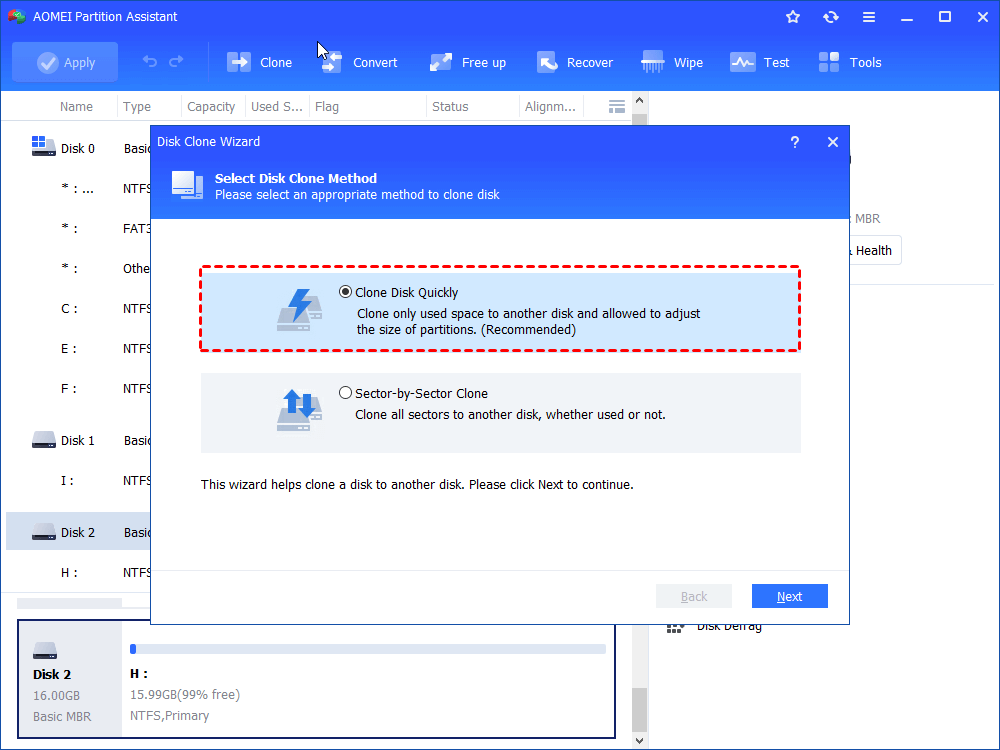
There are two cloning methods: Clone Disk Quickly and Sector-by-Sector Cloning. The former only clones the used space on the hard drive, while the latter clones all sectors on the hard disk. In addition, it has an intuitive interface and is very friendly to users with no computer experience.
Let’s download it to see how it works, this may be the safest and fastest way to transfer files between two external hard drives on the market.
- ★Tips:
- Standard Edition only supports cloning data disk. If you want to clone Windows system, please switch to Professional Version.
- Connect the external drive to the PC and make sure it can be detected.
- You should initialize external hard drives if it's new.
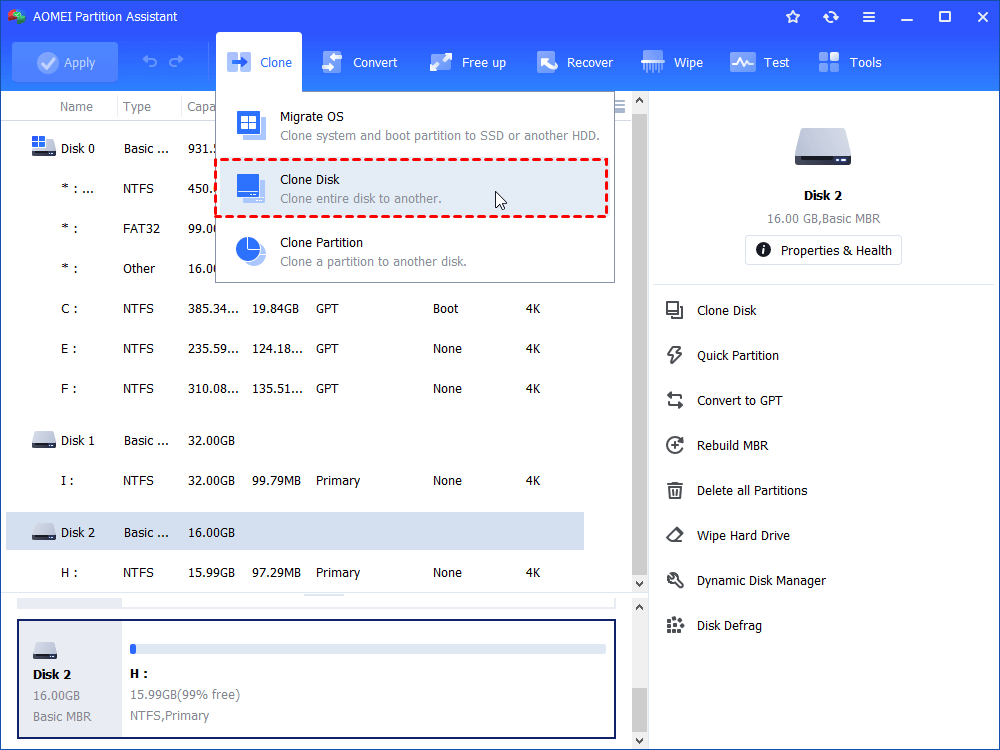
Step 1. Install and launch AOMEI Partition Assistant Standard. Then, click the "Clone" > "Clone Disk".
Step 2. It will pop out a window for you to choose the clone method.
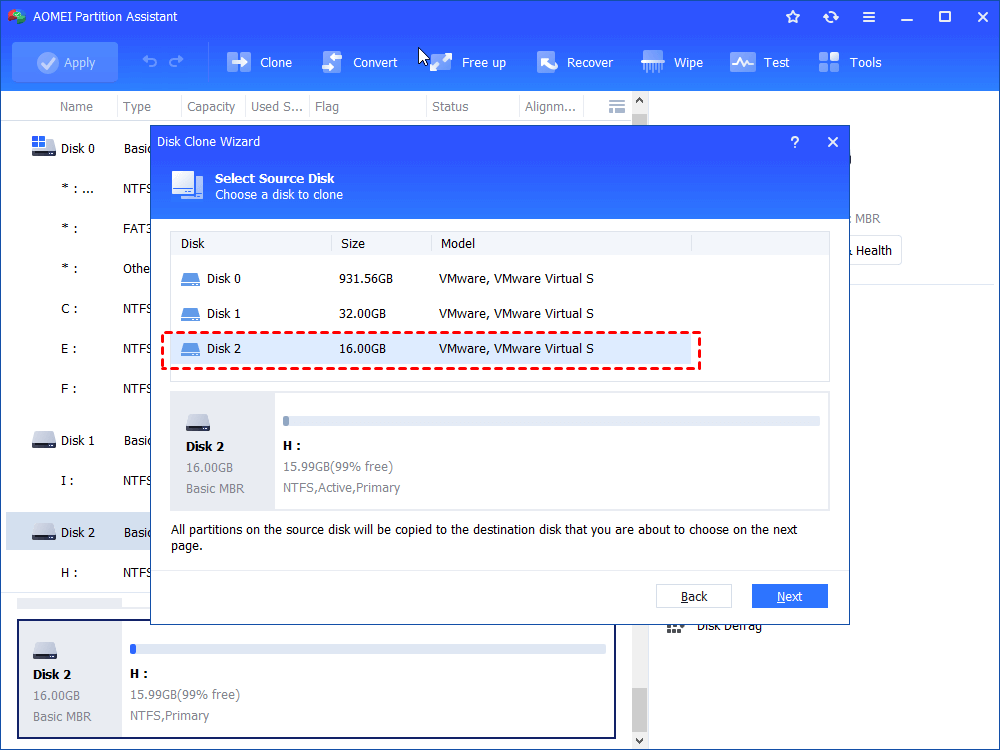
Step 3. Here, you should select the source external hard drive you need to clone.
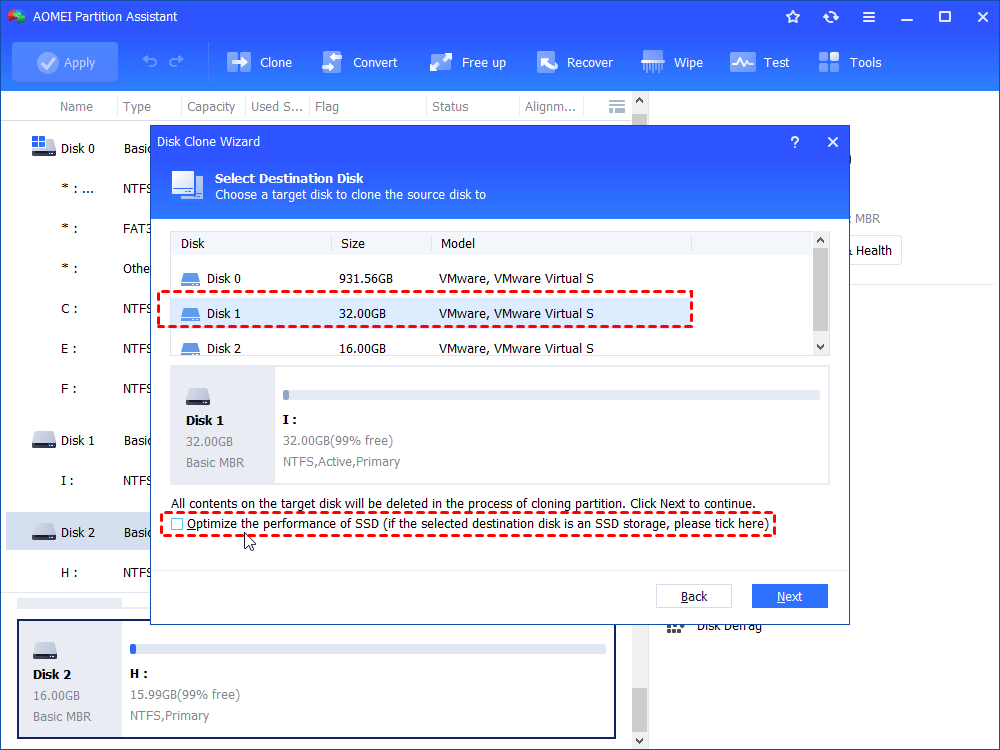
Step 4. Next, choose the destination external hard drive.
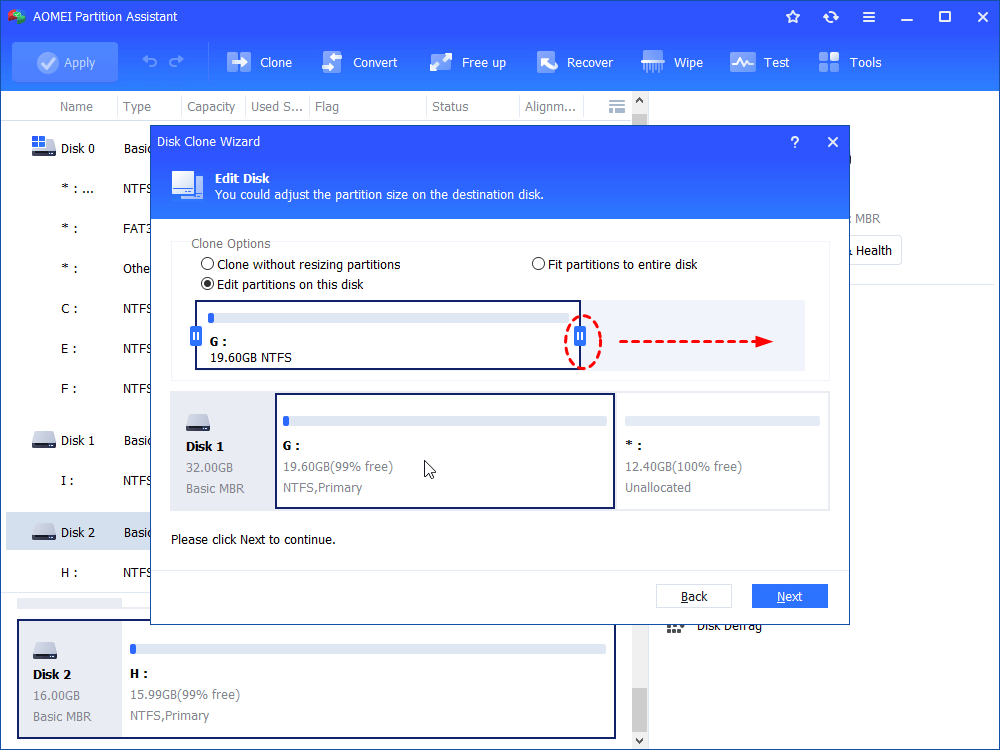
Step 5. You can also edit the partitions on your new external hard drive.
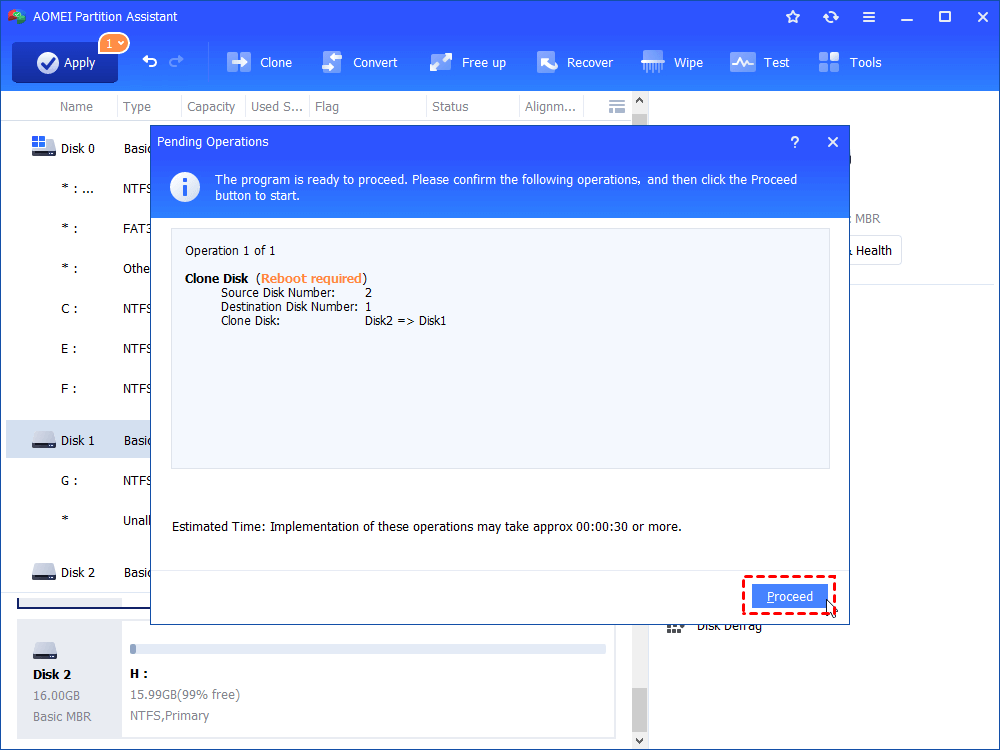
Step 6. Preview the operation result in this window, don't forget to click "Proceed" and "Apply" to submit all operations.
Additional tip: Move apps between two external hard drives
Now, you should have learned that what is the fastest way to transfer files between two external hard drives. If you need to move installed programs from one drive to another, try the advanced feature "App Mover" after upgrading to AOMEI Partition Assistant Professional.
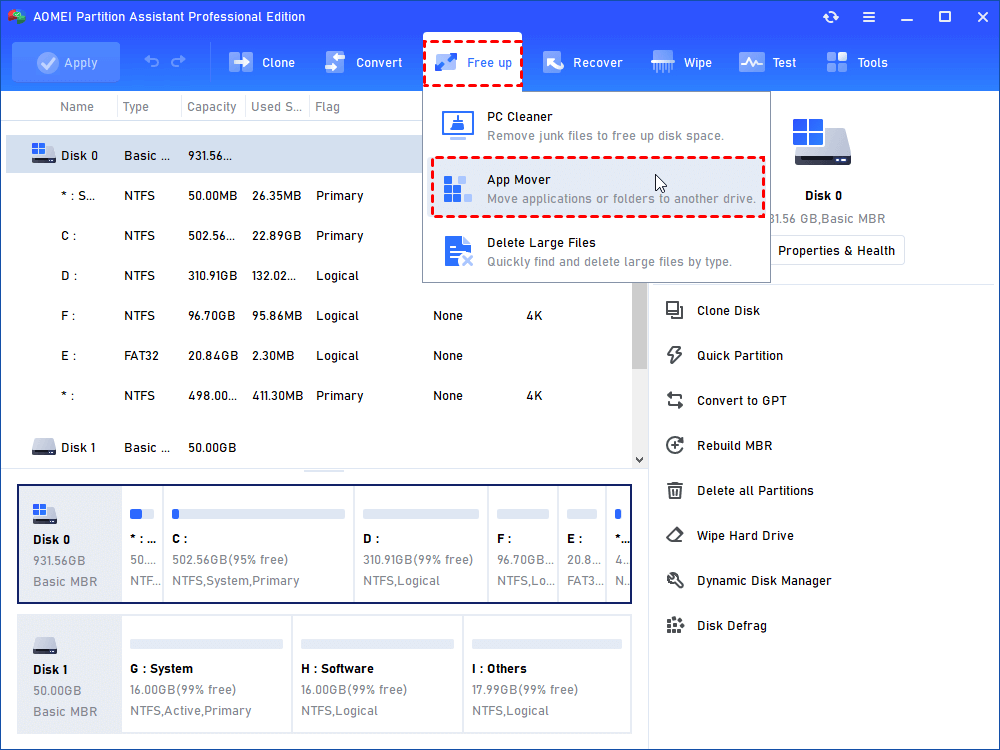
Step 1. Install and launch PA Professional, click “App Mover” under "Free up".
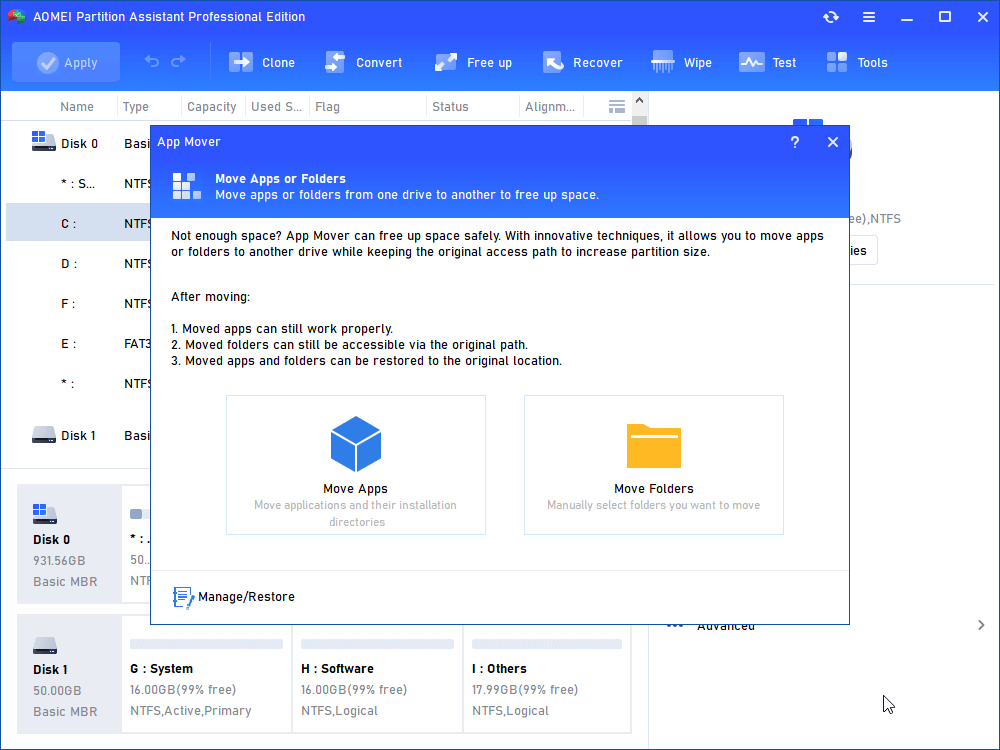
Step 2. There are two options, click “App Mover”. Or, click “Move Folders” if you need to move folders from C drive to D drive.
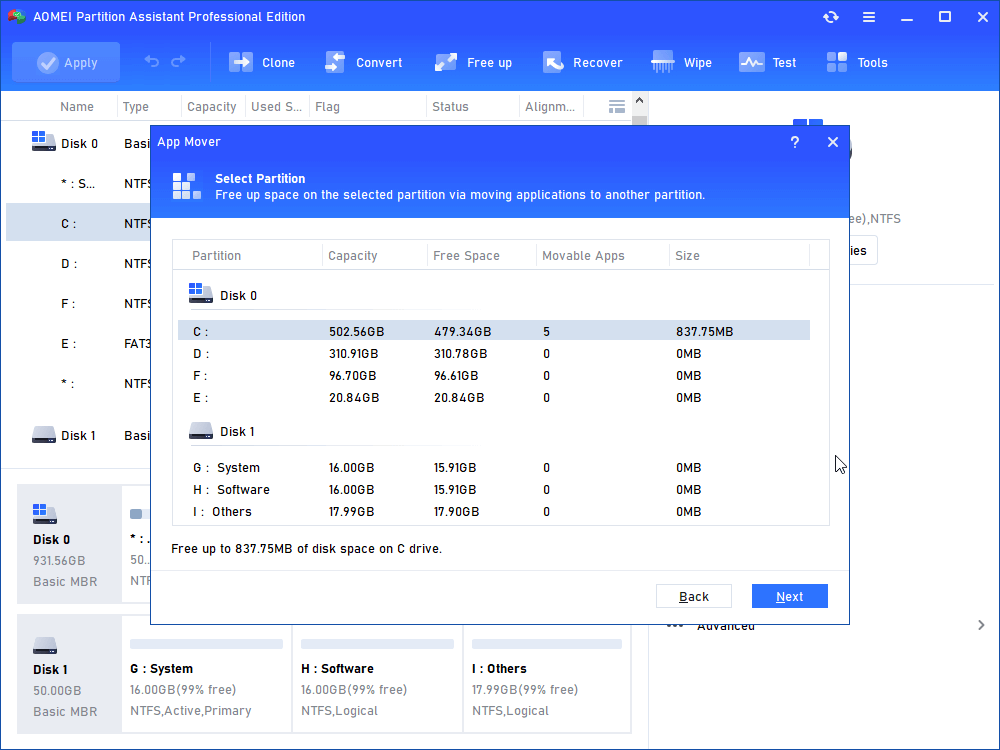
Step 3. Select the C drive and click "Next".
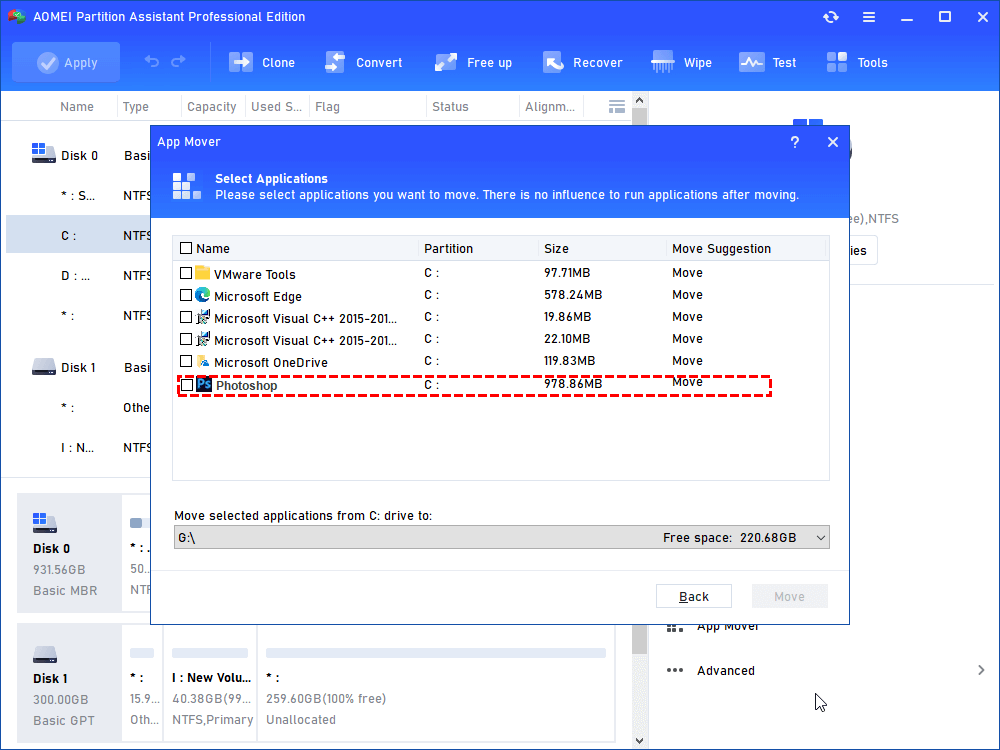
Step 4. Choose the target apps you want to move and select the destination location, then click "Move".
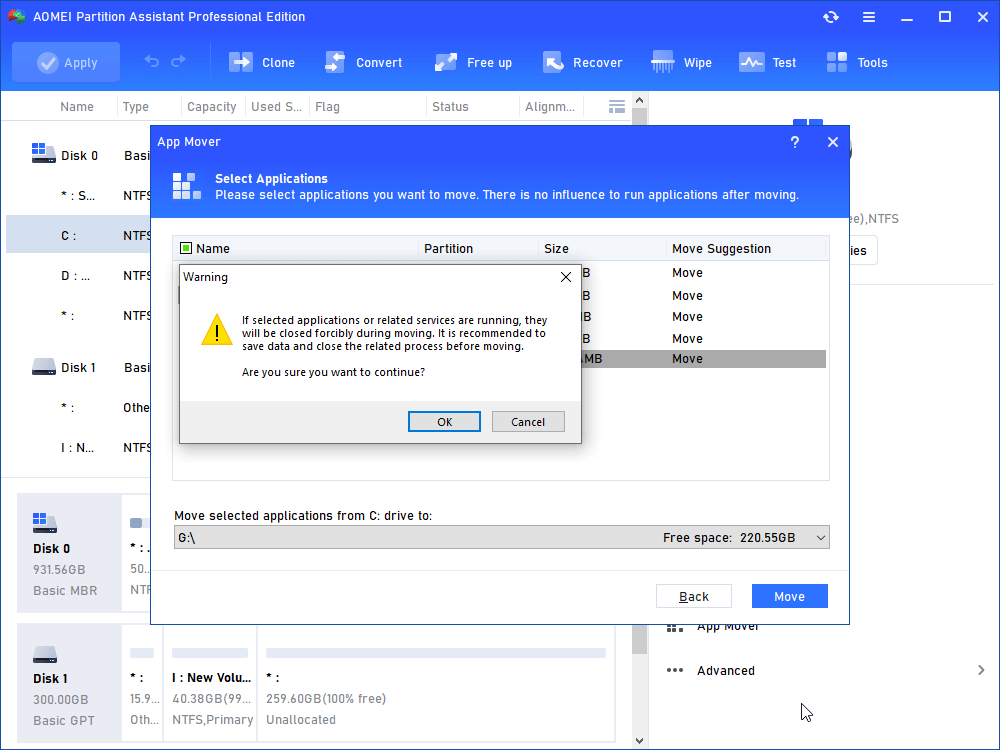
Step 5. Read the prompts and click "OK" to begin the process.
Conclusion
After reading this page, I believe you have found the fastest way to transfer files between two external hard drives. Besides, the way of how to move installed programs between two drives are also provided. If you want to run AOMEI Partition Assistant on Windows Server 2025/2022/2019/2016/2012, please turn to Server Edition.