
 AOMEI Partition Assistant
Rev Up Your Transfers: Solutions to Fix File Transfer Speed Drops to Zero
Encountering a sudden drop in file transfer speed to zero can be exasperating, especially when you need to move important data swiftly. In this guide, we'll delve into the common causes behind this issue and provide practical solutions to fix file transfer speed drops to zero. From addressing connectivity issues to optimizing settings, explore the steps to ensure a smooth and efficient file transfer experience.

By Hedy / Updated on January 26, 2024


Have you ever experienced the frustration of your file transfer speed suddenly dropping to zero? It's a common issue that can impede productivity and lead to countless headaches. In this guide, we'll explore the problem, its potential causes, and, most importantly, effective solutions to fix file transfer speed drops to zero and get your file transfers back on the fast track.
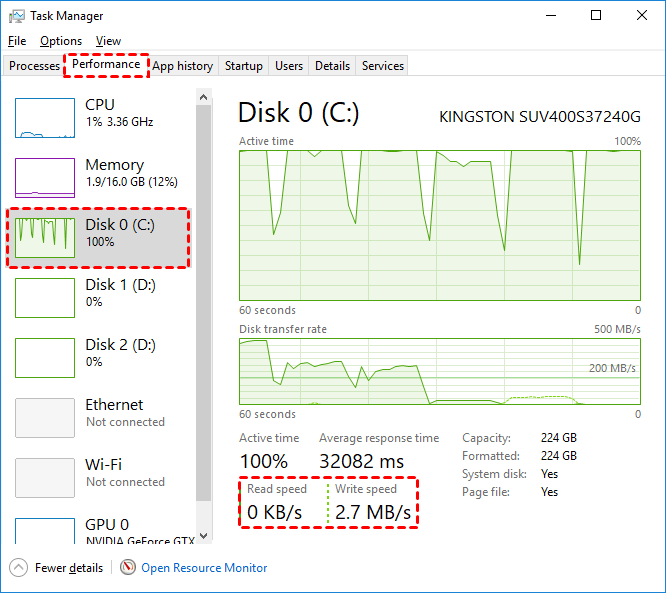
Overview
File transfer speed dropping to zero can occur due to various reasons, such as network issues, system settings, or software glitches. Understanding the root causes is crucial to implementing targeted solutions.
Causes of File Transfer Speed Drops
1. **Network Interruptions:** Unstable or weak network connections can cause abrupt drops in file transfer speed.
2. **Software Glitches:** Incompatibility or issues with file transfer software can lead to sudden speed reductions.
3. **System Settings:** Suboptimal system configurations may hinder the efficiency of file transfers.
Solutions
Solution 1: Network Troubleshooting
Follow these steps to address network-related issues:
- Check your Wi-Fi or Ethernet connection.
- Ensure your router firmware is up-to-date.
- Avoid interference from other devices.
Solution 2: Software Optimization
Optimize your file transfer software with these steps:
- Update to the latest version of the software.
- Check for compatibility with your operating system.
- Disable unnecessary features that may impact speed.
Solution 3: System Configuration
Adjust your system settings for optimal file transfers:
- Increase the buffer size for data transfers.
- Adjust the TCP window size.
- Optimize your computer's power settings.
FAQs
**Q1: Why does my file transfer speed drop during peak hours?**
**A:** Network congestion during peak hours can reduce overall bandwidth, affecting file transfer speeds.
**Q2: Can antivirus software impact file transfer speeds?**
**A:** Yes, antivirus scans during file transfers can slow down the process. Consider scheduling scans during non-transfer times.
**Q3: Are there specific file types more prone to speed drops?**
**A:** Large files or those with complex structures may experience more significant speed drops. Consider compressing files before transfer.
**Q4: Does using a wired connection improve transfer speeds?**
**A:** Yes, a wired Ethernet connection is generally more stable and faster than Wi-Fi for file transfers.
**Q5: How can I monitor my file transfer speed in real-time?**
**A:** Use network monitoring tools or the built-in performance monitor on your operating system to track file transfer speeds.
Tech Terms
1. **Buffer Size:** The amount of data that can be temporarily stored during a file transfer.
2. **TCP Window Size:** The amount of data that can be sent before waiting for an acknowledgment.
3. **Network Congestion:** High demand or traffic on a network, leading to slower data transfer.
Tips
1. Regularly update your file transfer software.
2. Consider using a wired connection for critical transfers.
3. Optimize your network for file transfers.
Conclusion
By fix file transfer speed drops to zero, optimizing software, and adjusting system settings, you can overcome the challenges of file transfer speed drops. Implement these solutions, stay informed about relevant tech terms, and enjoy seamless and efficient file transfers without the frustration of speed interruptions.
