
 AOMEI Partition Assistant
A How-to Guide: Windows 10 Believes My Hard Drive is Removable
Delve into the perplexing issue faced by many Windows 10 users where Windows 10 thinks my hard drive is removable. Uncover the underlying causes behind this problem and discover practical solutions to rectify it. Explore expert insights and actionable tips to troubleshoot effectively and regain control over your storage devices in Windows 10.

By Hedy / Updated on February 27, 2024


Have you encountered the perplexing issue where Windows 10 thinks my hard drive is removable? This peculiar problem can lead to various inconveniences and uncertainties regarding your storage devices. In this comprehensive guide, we will delve into the root causes of this issue and explore effective solutions to rectify it. Let's unravel the mystery behind why Windows 10 thinks your hard drive is removable and how you can resolve it.
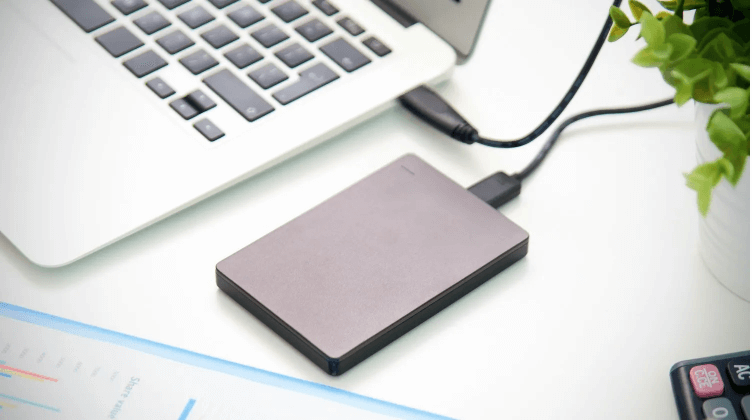
Understanding the Problem
At its core, the problem arises from a miscommunication between Windows 10 and your hard drive. Despite being an internal storage component, the operating system erroneously categorizes it as removable, leading to unexpected behaviors and limitations.
Potential Causes
1. **Driver Issues**: Outdated or corrupted device drivers can confuse Windows 10, causing it to misidentify your hard drive.
2. **Power Management Settings**: Incorrect power management settings may trigger Windows to treat the hard drive as removable, especially in laptops and portable devices.
3. **Hardware Incompatibility**: Certain hardware configurations or faulty connections can contribute to this misrecognition issue.
Solutions
To address this issue effectively, we present three comprehensive solutions, each comprising five actionable steps:
Solution 1: Update Device Drivers
1. Access Device Manager.
2. Locate the hard drive under Disk Drives.
3. Right-click and select Update Driver.
4. Choose "Search automatically for updated driver software."
5. Follow the on-screen instructions to complete the update process.
Solution 2: Adjust Power Management Settings
1. Open Device Manager.
2. Expand Disk Drives and double-click your hard drive.
3. Navigate to the Power Management tab.
4. Uncheck "Allow the computer to turn off this device to save power."
5. Click Apply and OK to save changes.
Solution 3: Check Hardware Connections
1. Power off your computer and unplug all cables.
2. Open the computer case and ensure all connections to the hard drive are secure.
3. Reconnect any loose cables and tighten connections.
4. Close the case and reconnect all cables.
5. Power on your computer and check if the issue persists.
FAQ: Answering Your Burning Questions
**Q1: Why does Windows 10 think my hard drive is removable?**
A: Windows 10 may misidentify your hard drive due to driver issues, power management settings, or hardware compatibility issues.
**Q2: Can outdated drivers cause this problem?**
A: Yes, outdated or corrupted device drivers can confuse Windows 10 and lead to the misidentification of your hard drive.
**Q3: How do I update device drivers in Windows 10?**
A: You can update device drivers by accessing Device Manager, locating the hard drive under Disk Drives, and selecting "Update Driver."
**Q4: Will adjusting power management settings fix the issue?**
A: Adjusting power management settings can often resolve the problem by preventing Windows 10 from turning off your hard drive to save power.
**Q5: What should I do if hardware connections are the issue?**
A: If hardware connections are the issue, you should power off your computer, check all connections to the hard drive, and ensure they are secure.
Technical Terms
1. **Device Manager**: A Windows utility that allows users to view and control hardware attached to the computer.
2. **Driver Update**: The process of updating software that controls hardware devices to improve performance and resolve issues.
3. **Power Management Settings**: Configuration options that govern the power behavior of hardware components in a computer system.
4. **Hardware Incompatibility**: Inability of hardware components to work together due to differences in specifications or design.
5. **Disk Drives**: Storage devices used to store and retrieve digital data in a computer system.
Conclusion
In conclusion, the issue of Windows 10 thinks my hard drive is removable can be a frustrating obstacle in your computing experience. However, armed with the knowledge and solutions provided in this guide, you can overcome this challenge with confidence. By following the outlined steps and tips, you can ensure smooth and efficient operation of your storage devices within the Windows 10 environment. Don't let technical glitches hold you back – take control and optimize your computing experience today!
