
How to Mount NTFS Partition with Partition Assistant NTFS for Mac
macOS can read NTFS formatted storage devices, but by default only read operations are supported and write operations are not. This means you can directly open, view, and copy files on an NTFS hard drive or USB flash drive, but you cannot directly modify, delete, or add new files to them on your Mac.
Partition Assistant NTFS for Mac is an excellent solution that offers a user-friendly way to read, write, delete, rename and move files on NTFS hard drives directly within macOS.
How to Mount NTFS Partition with Partition Assistant NTFS for Mac
Prerequisites for NTFS Mounting
- Download and install Partition Assistant NTFS for Mac on your Mac.
- Make sure the NTFS hard drive or USB flash drive is accessible.
How to Mount NTFS Partition with Partition Assistant NTFS for Mac Step by Step
1. Run Partition Assistant NTFS for Mac and connect your NTFS hard drive or USB flash drive.
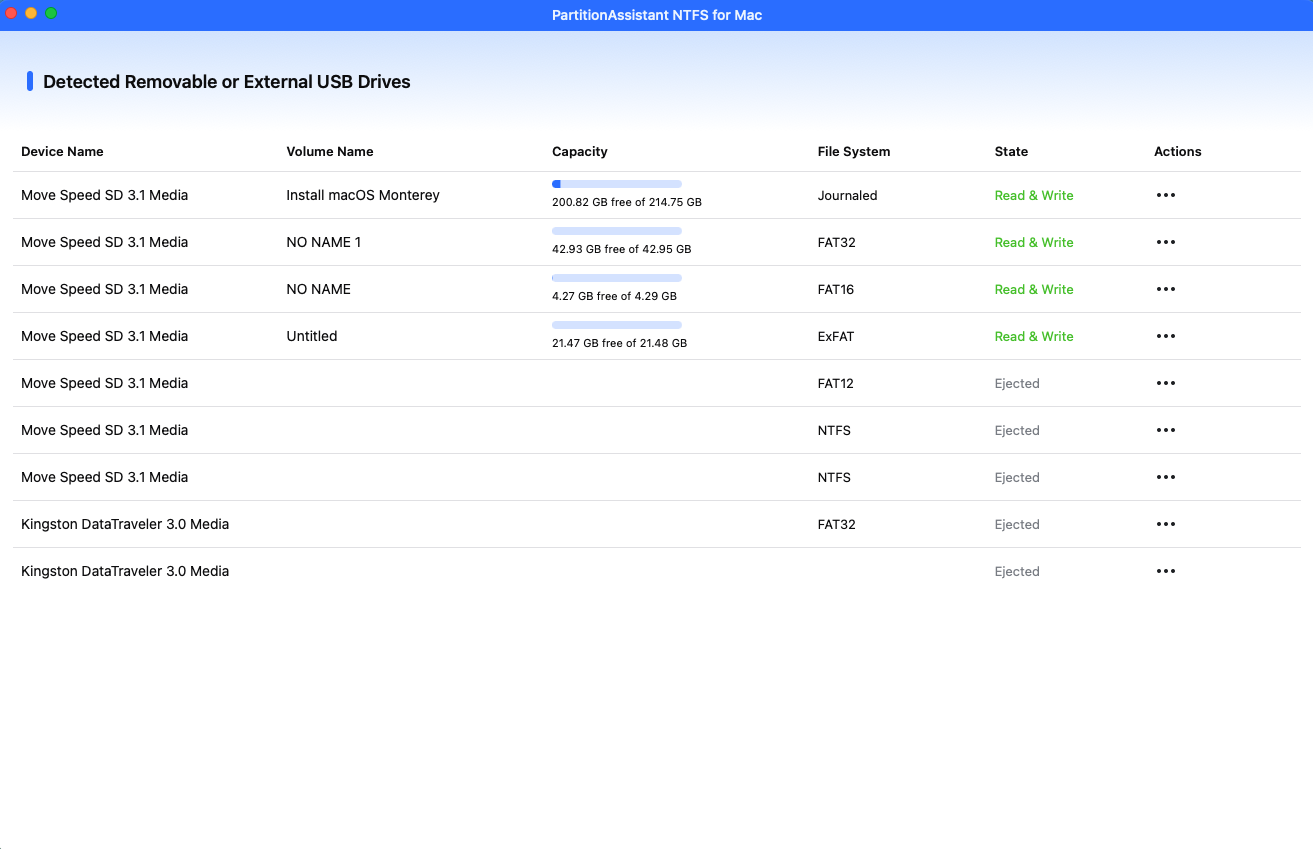
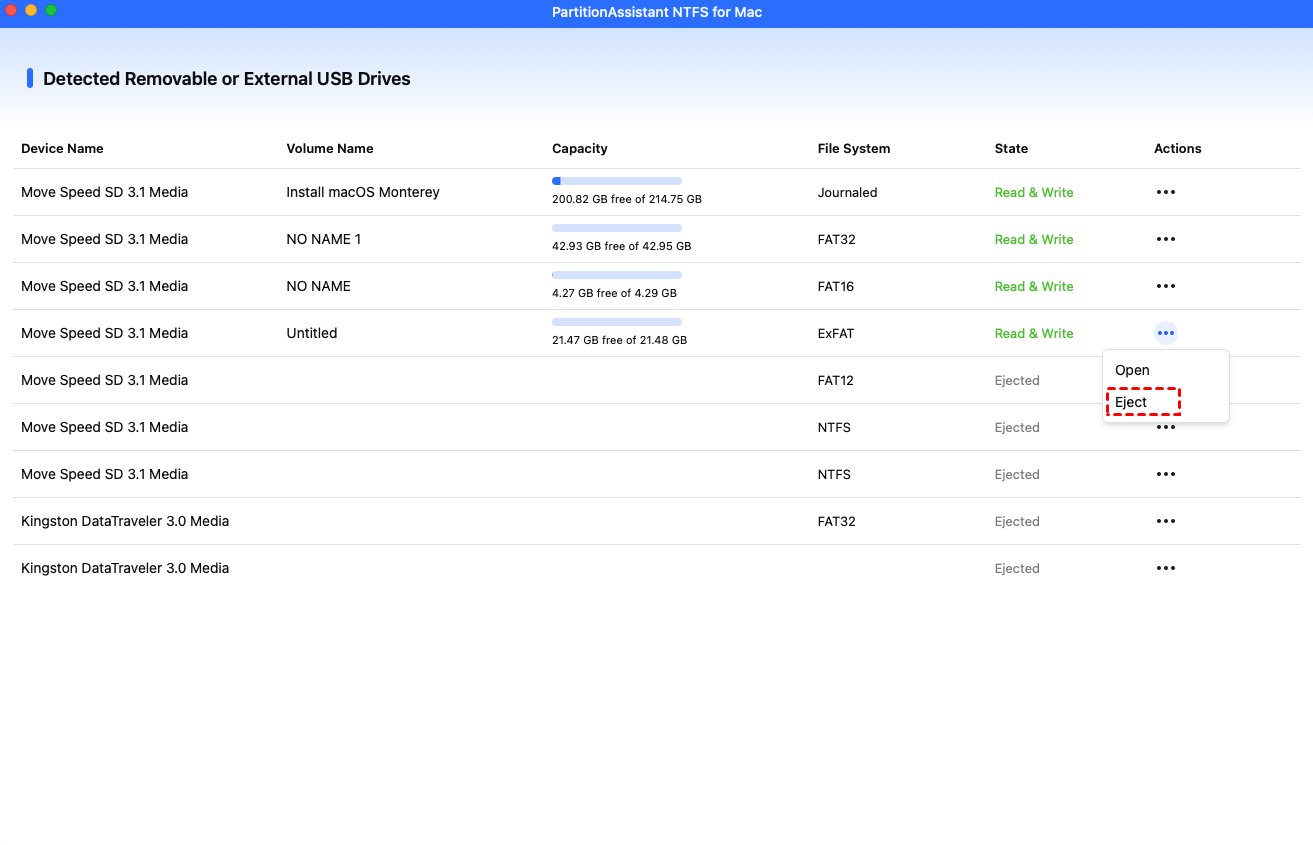
2. The connected removable and external USB drives will be mounted and listed.
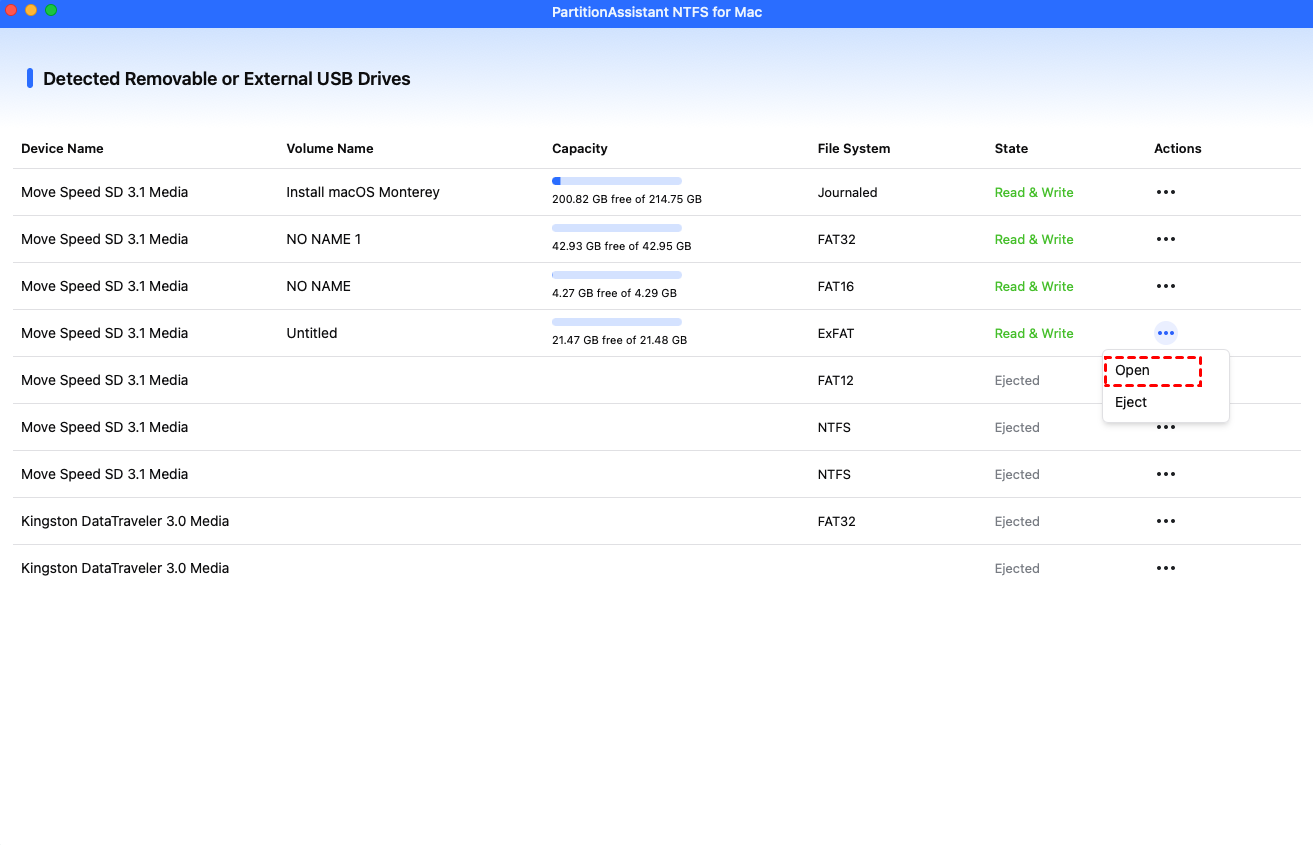
3. Select the drive you want to operate and click "Open".
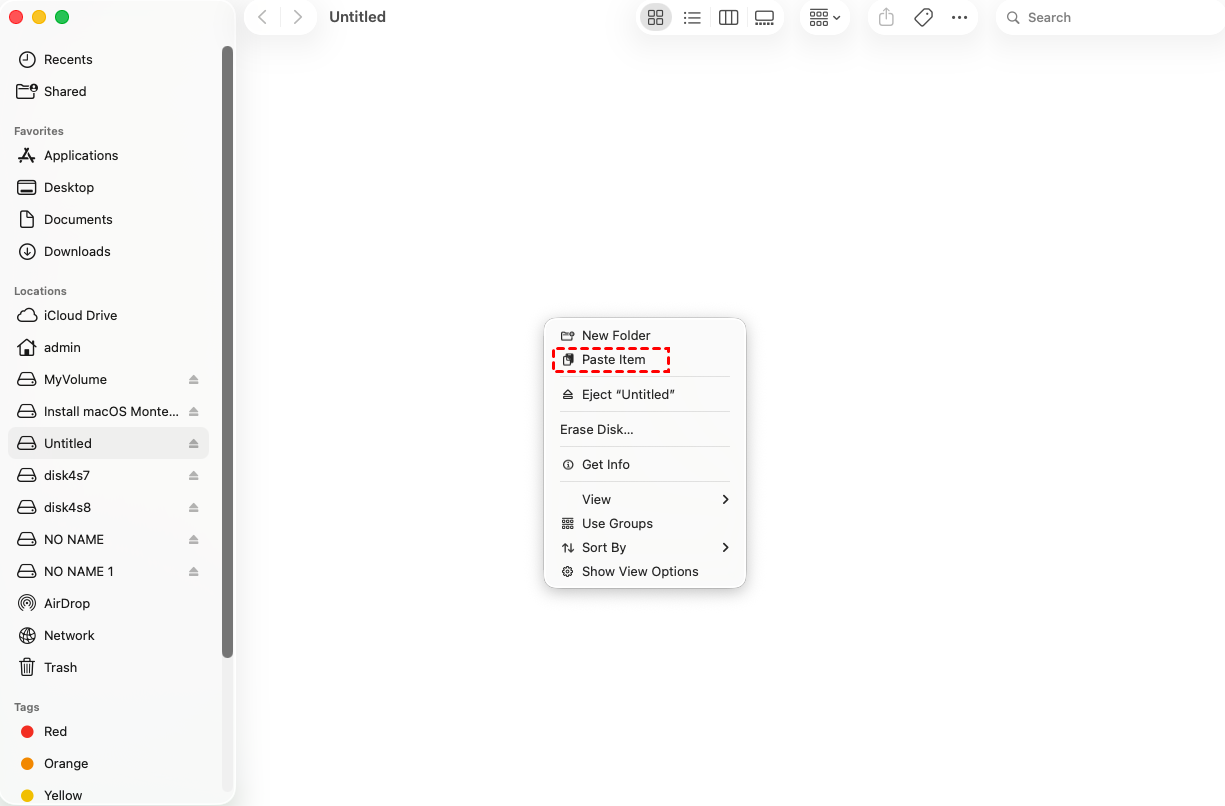
4. Now you can copy files on your Mac and click "Paste Item" to copy the files to USB drive.
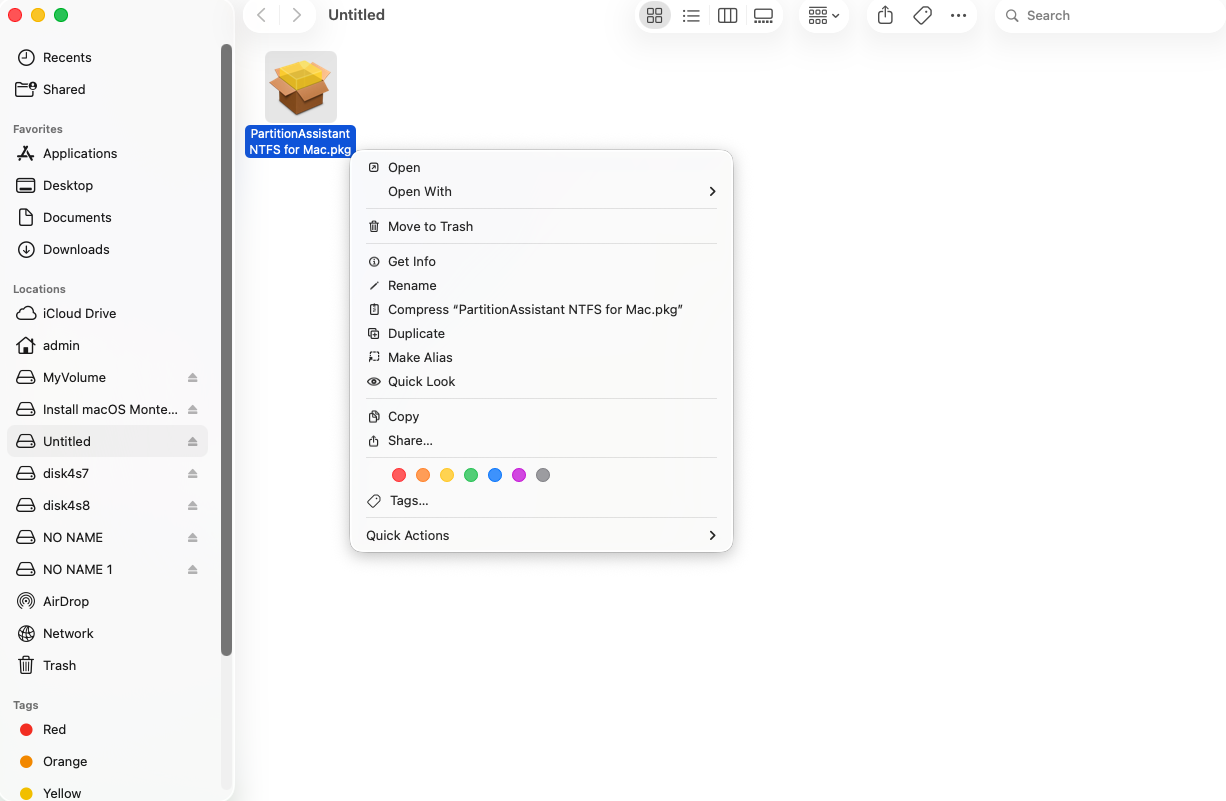
5. You can also copy, delete and rename files on the USB drive.
6. After all operations are complete, please click "Eject" to disconnect the USB drive from your Mac.
Conclusion
With the help of Partition Assistant NTFS for Mac, you can easily copy, remove, write, delete, rename and move files on NTFS USB hard drives.