
 AnyViewer
 Anytime. Anywhere. Any Device. AnyViewer establishes highly secure on-demand connections with remote PCs, laptops, and mobile devices, which allows business and personal users to manage their hard drive partition from a remote location as if they were sitting in front of the device.
Download Freeware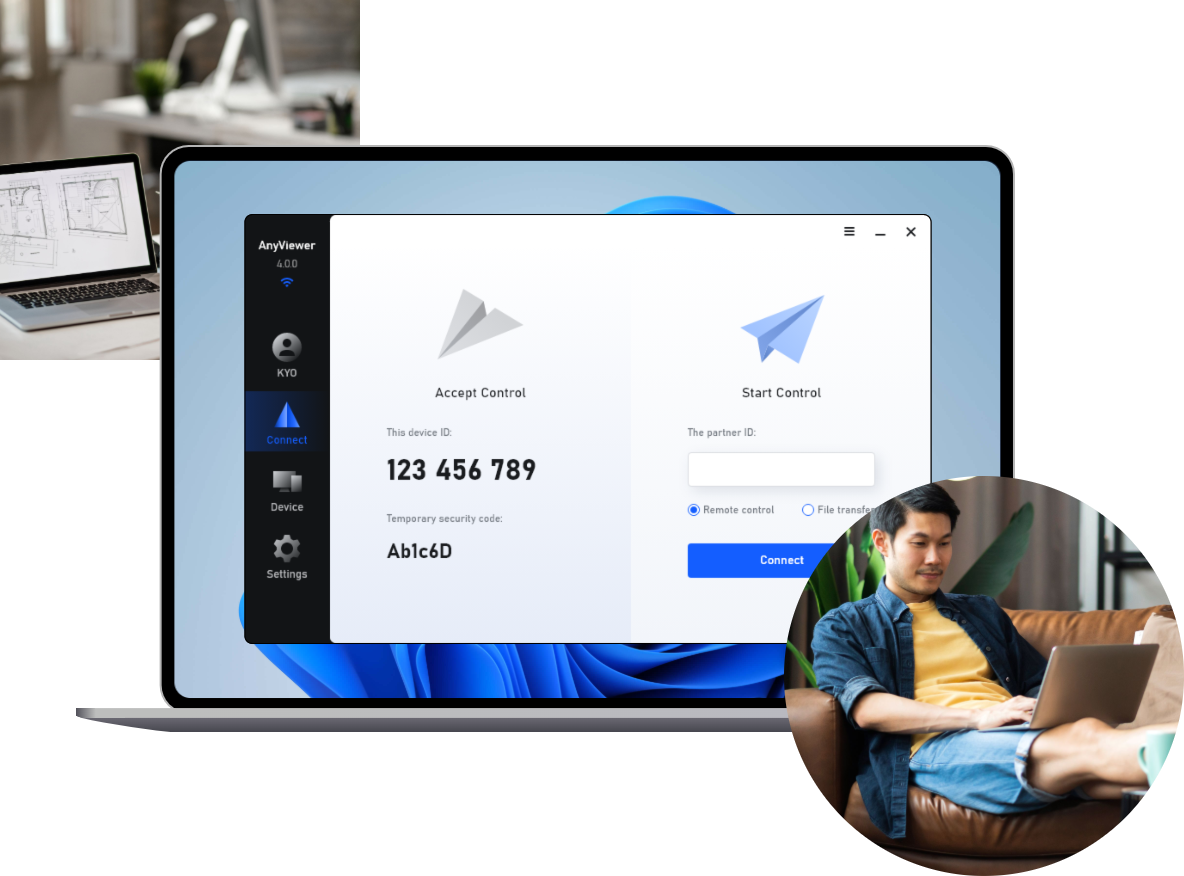
Whether you are an IT professional or a personal user, AnyViewer provides a wide range of features and functions which serve to apply to your use cases and optimize your user experience.

Users remotely connect and control their desktop or computer, viewing and interacting with the interface as if present. Commonly used by tech support professionals for real-time issue resolution.

Users connect and access authorized computers or networks over the internet. It enables remote tasks like accessing files and running applications, providing flexible resource utilization from anywhere in the world.

This offers technical assistance or troubleshooting without in-person visits. It saves travel time, enables simultaneous support for multiple users, ensures faster response, and allows controlled users to receive assistance from anywhere.

Users perform duties outside traditional offices. It's prevalent in work-life balance and flexibility due to technology advancements. With AnyViewer, accessing important files and programs is effortless.

Users can access and control unattended remote desktops from iOS or Android devices. AnyViewer ensures fast, stable connections for seamless interaction, file access, application usage, and remote tasks on mobile devices.
As a professional remote desktop software, AnyViewer encompasses multiple practical feature to facilitate users to the greatest extend.
Establish secure connection and access to a remote computer at anytime with no need for relying on the recipient to accept your incoming session request.
Transfer and share files and folders between a local and remote devices in super fast speed. No limitations. Platform-independent.
If you are managing a remote computer in public places, you can turn its screen to black. This only hides the display temporarily, not interrupting or affecting the operation of the remote system.
View and interact with multiple monitors or displays of a remote computer during a remote desktop session. Users can see and access the content on each monitor separately and move windows or applications between monitors.
The mobile solution of AnyViewer enables users to access and control PC from anywhere on iOS or Android devices. For example, you can lock, restart or shut down your computer from phone at anytime.

AnyViewer enhances the convenience of remote access by offering users quick access shortcuts to practical operations such as locking the screen, restarting the system, accessing the task manager, and opening the command prompt (CMD).

Delivering a top-notch user experience is our priority. AnyViewer ensures ease of use, robust security, and reliable stability, even in low-internet connectivity scenarios, to provide you with the ultimate user experience.

Users have the flexibility to select either high or low image quality based on their network speed. AnyViewer allows users to optimize their remote access experience by choosing a superior image resolution when the network conditions permit.

AnyViewer employs top-tier encryption measures, ensuring a level of security equivalent to military-grade standards. With a wide range of security settings, you have the ability to restrict device discovery and session requests from unauthorized sources.
 AnyViewer