Installation and Login
How to change the language in AOMEI Partition Assistant for Recovery
Updated October 16, 2026
Introduction
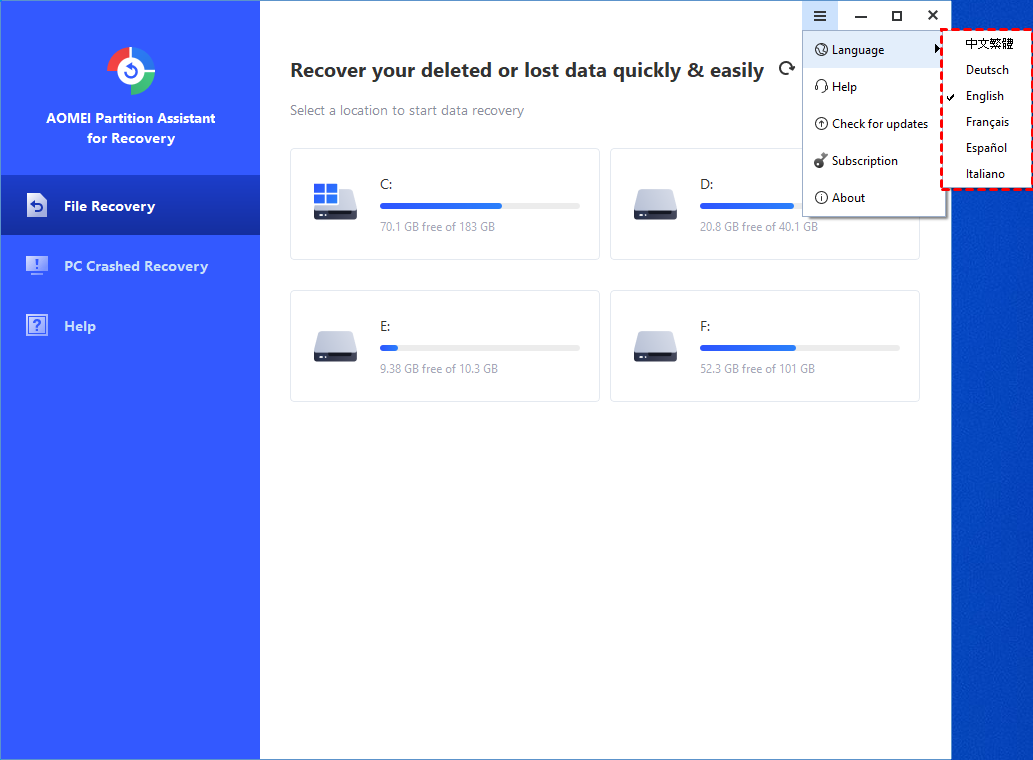
Currently, PartitionAssistant Recovery supports multiple languages, including English, German, French, Japanese, Spanish, Italian, and Traditional Chinese. You can switch the language by yourself. Here are the steps to change the language.
How to Change Language in PartitionAssistant Recovery Step by Step
Step 1. In the main window, click the "Menu" button and select "Language" in the drop-down list.

Step2. In the pop-up window, all supported languages are listed. Just click to choose the language you want to use. Then you will find the language has changed.