
 AOMEI Partition Assistant
Unleash Seamless Connectivity with Ralink 802.11 N WLAN Driver for Windows 7 32-Bit Download!
Embark on a journey to enhance your network performance with the Ralink 802.11 N WLAN driver Windows 7 32 bit download. This article delves into the seamless integration of the driver, providing insights into its benefits, download process, and tips for unlocking unparalleled connectivity. Join the wireless revolution and experience the difference with Ralink.

By Hedy / Updated on January 19, 2024


In the fast-paced digital era, a robust and efficient wireless connection is non-negotiable. If you're navigating the landscape of Windows 7 32-bit and seeking an upgrade to your connectivity experience, the Ralink 802.11 N WLAN driver Windows 7 32 bit download is your gateway to seamless networking. Let's explore the intricacies of the problem, delve into solutions, and equip you with the knowledge needed for a hassle-free download.
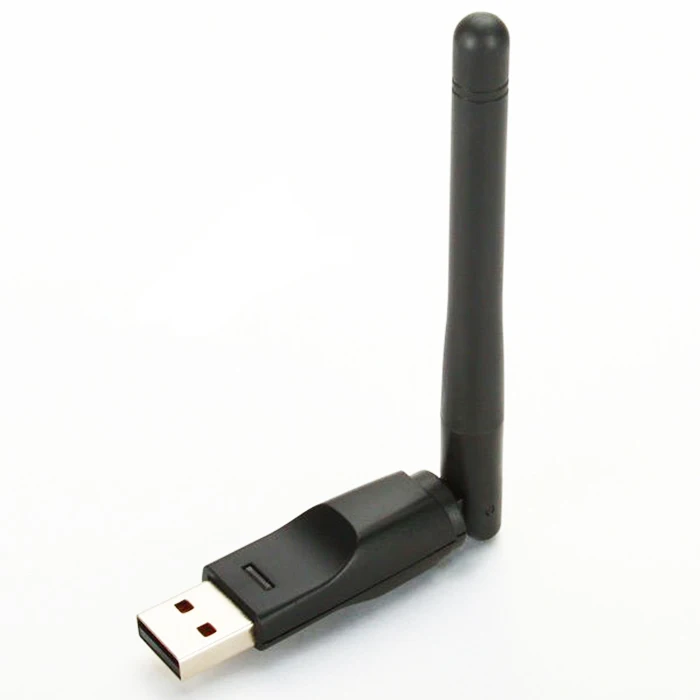
Overview: Navigating Connectivity Challenges on Windows 7 32-Bit
In the realm of Windows 7 32-bit, users often encounter connectivity issues that hinder the full potential of their wireless networks. These problems range from inconsistent signal strength to intermittent disconnections. Understanding the causes is crucial in addressing these issues effectively.
Common Causes of Connectivity Issues
1. **Outdated Drivers:** Over time, drivers may become outdated, leading to compatibility issues and degraded performance.
2. **Interference:** Signal interference from other electronic devices or neighboring networks can disrupt wireless connectivity.
3. **Configuration Settings:** Incorrect network configurations and settings may result in connectivity hiccups.
Solutions: Elevating Your Wireless Experience
Solution 1: Update Your Ralink 802.11 N WLAN Driver
1. Begin by identifying your current driver version through the Device Manager.
2. Visit the official Ralink website to download the latest Windows 7 32-bit compatible driver.
3. Uninstall the existing driver and install the new one by following the on-screen instructions.
Solution 2: Optimize Wireless Environment
1. Position your router strategically to minimize interference.
2. Use channels with less interference and adjust router settings for optimal performance.
Solution 3: Review Network Configurations
1. Double-check your network configurations to ensure they align with recommended settings.
2. Consider resetting your router and reconfiguring it for a fresh start.
FAQ: Addressing Your Queries
*Q1: Is the Ralink 802.11 N WLAN driver compatible with other Windows versions?*
*A: The Ralink driver is designed for Windows 7 32-bit. Ensure compatibility with other versions before installation.*
*Q2: How often should I update my WLAN driver?*
*A: Regularly check for updates. Updating every 3-6 months is a good practice to maintain optimal performance.*
*Q3: Can I use the same driver for both 32-bit and 64-bit systems?*
*A: No, drivers are architecture-specific. Download the appropriate version for your system.*
*Q4: What should I do if the driver installation fails?*
*A: Ensure you have administrative privileges, disable antivirus during installation, and try a clean installation.*
*Q5: Will updating the driver improve internet speed?*
*A: While it may not directly boost speed, it can enhance stability and overall performance.*
Tech Terms Demystified: Enhancing Your Tech Vocabulary
1. **Wireless Protocol:** The set of rules governing communication between devices in a wireless network.
2. **Bandwidth:** The maximum rate of data transfer across a network.
3. **Frequency Channels:** Divisions within the frequency spectrum used to transmit wireless signals.
4. **Router Firmware:** Software embedded in a router, governing its functionality and features.
5. **Data Packet:** A unit of data transmitted over a network.
Tips for Optimal Wireless Experience
1. **Regular Updates:** Keep your driver and router firmware up to date.
2. **Secure Your Network:** Set up strong passwords and encryption to prevent unauthorized access.
3. **Position Your Router:** Place the router centrally for better coverage.
Conclusion
As we conclude our exploration, remember that a seamless wireless experience is within reach. Downloading and optimizing the Ralink 802.11 N WLAN driver Windows 7 32 bit download is a proactive step toward unlocking the full potential of your network. Embrace uninterrupted connectivity and navigate the digital landscape with confidence.
