

AOMEI is an editorial team of AOMEI Technology. They give users help documents, features, resouces, knowledge bases and many excellent articles covered backup & restore, hard disk & partitions management, cloud files transfer, website & database backup and so on.
Yes, you can add a partition to an existing drive, provided there is unallocated space available on the drive. Unallocated space is space on the drive that is not currently assigned to any partition and is available for creating new partitions.
Here are the general steps to add a partition to an existing drive:
✦ Check available space: First, you need to check if there is unallocated space on the drive where you want to add the new partition. You can do this using disk management tools in your operating system.
✦ Shrink an existing partition: If there is no unallocated space, you may need to shrink an existing partition to create some. Be cautious when doing this, as it can affect the data on the partition being resized. Backup any important data before proceeding.
✦ Create a new partition: Once you have unallocated space, you can create a new partition in it. In Windows, you can use the Disk Management.
AOMEI Partition Assistant Standard is a comprehensive partition management freeware, which support create new partition on an existing drive without losing data. In addition, it can resize, format, delete, merge partitions with a few clicks. If there is enough space on the partition, you can split one partition to 2 partition after upgrading to Professional Version.
Step 1. If there is unallocated space on the hard drive, you can right-click the unallocated space and select “create partition” to create a new partition. If there is not, you can also click shrink an existing partition for unallocated space.
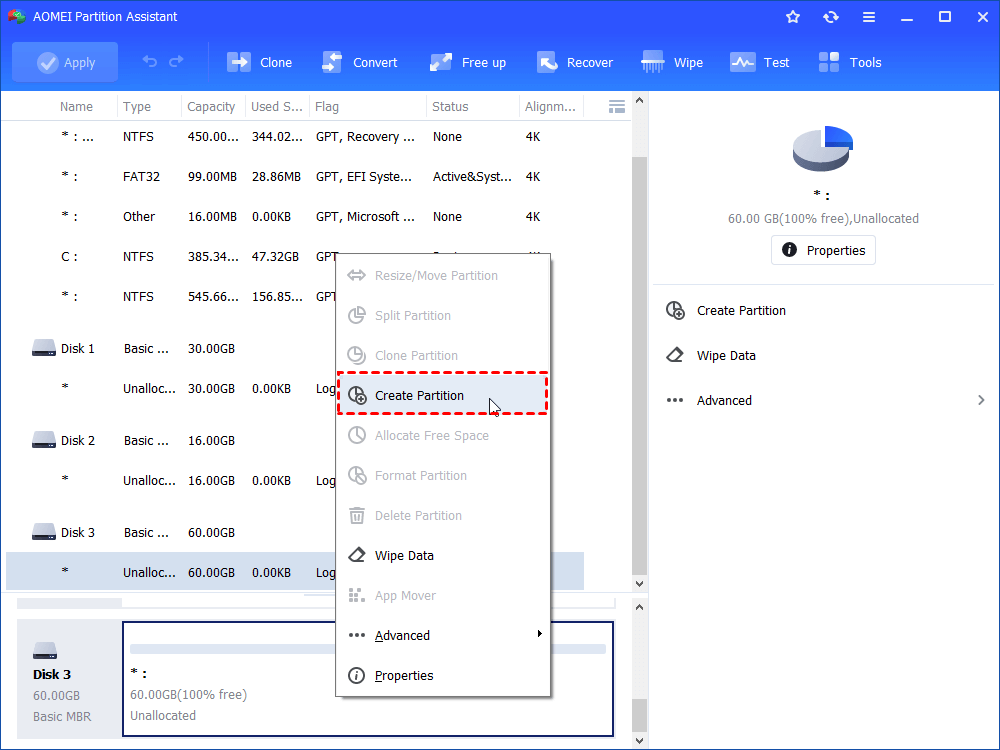
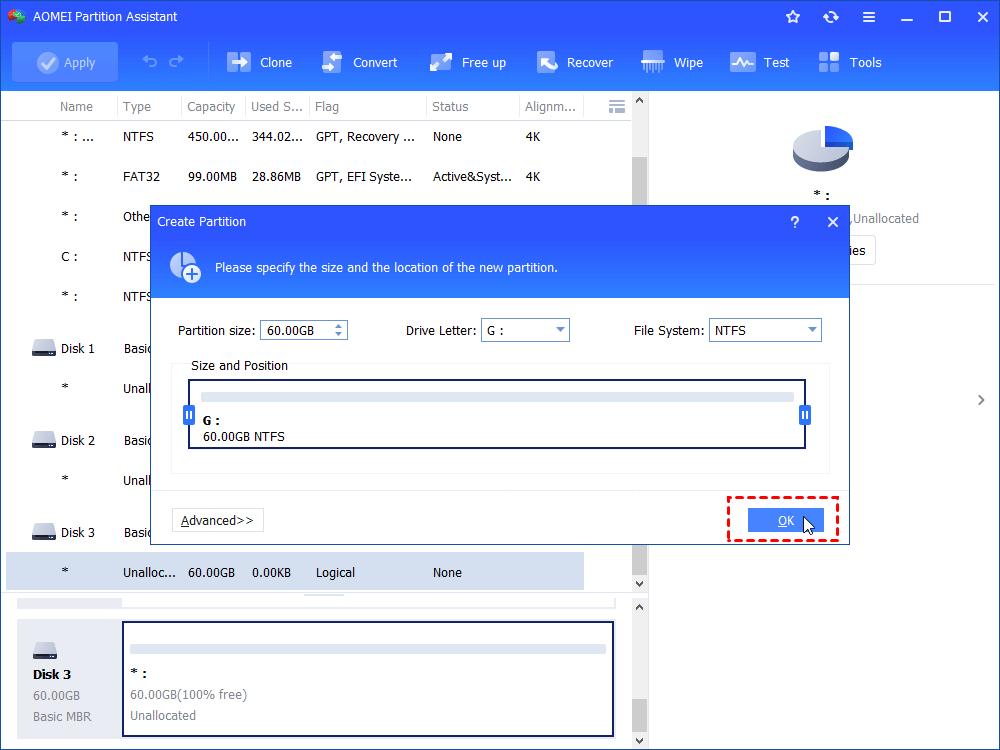
Step 2. Then, you can allocate the partition size, drive letter, and file system of this partition.
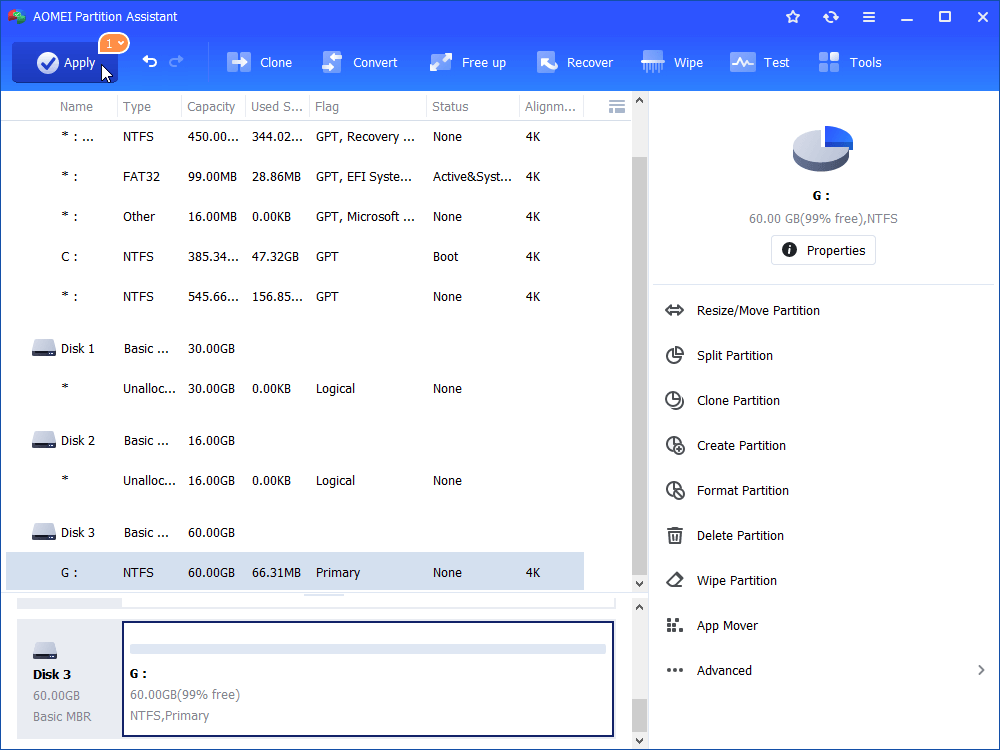
Step 3. Finally, click “Apply” to submit the operations.

If I replace my hard drive will I have to reinstall Windows? No, you don't. It is also possible to migrate the operating system directly from the old hard drive to new hard drive without reinstalling it.
Answered by AOMEI
Many users may wonder “should I install Windows on SSD or HDD?”, this post will offer you a suggestion and show you how to install Windows quickly and easily.
Answered by AOMEI
What are the advantages of disk partitioning? This post will provide the answer and show you how to partition disk easily.
 Answered by Cherry
Disk Partition Disk Clone Disk Convert Data Recovery